Expense Report Preparation: A Guide for Small Businesses

Expense report preparation is defined as the systematic process of documenting, categorizing, and submitting business-related expenses to secure reimbursement and maintain compliance with IRS substantiation requirements. For small business owners and financial professionals, this process is far more than an administrative formality. A well-prepared expense report serves as an audit-ready financial record, protecting your business during tax reviews and ensuring every deductible dollar is properly captured. The IRS requires that expenses be "ordinary and necessary" to qualify as deductions, and expense reports are the primary mechanism for proving that standard is met.
What is expense report preparation and why does it matter?
Expense report preparation is the structured workflow of collecting receipts, recording transaction details, assigning expense categories, and submitting documentation for approval and reimbursement. The process serves two distinct purposes: it reimburses employees fairly, and it creates audit-ready documentation for tax and compliance purposes. Both functions are equally critical, yet the documentation role is frequently underestimated until an IRS inquiry arrives.
Formal expense reporting also functions as an internal control. Expense reporting prevents non-compliant spending that could be classified as nondeductible, directly affecting your taxable income. Without a defined process, businesses risk losing legitimate deductions simply because the paperwork does not meet IRS standards.
The IRS requires five specific data points for substantiation: amount, date, place, business purpose, and a receipt for expenses over $75. Missing even one of these fields can disqualify an otherwise valid deduction. That standard makes the preparation process a compliance requirement, not just an accounting convenience.
What key elements must be included when preparing an expense report?
A complete expense report contains specific fields that satisfy both internal policy and IRS substantiation rules. Omitting any of these fields is the fastest path to rejection or a failed audit.
The required elements for every expense entry include:
- Date of expense: The exact date the expense occurred, not the date of submission.
- Vendor name: The business or individual who received payment.
- Amount: The total paid, including taxes and tips where applicable.
- Business purpose: A clear explanation of why the expense was necessary. The IRS treats this field as non-negotiable. Without a stated business purpose, receipts alone do not satisfy substantiation requirements.
- Expense category: Meals, travel, lodging, office supplies, and similar classifications used for both internal allocation and IRS Schedule C reporting.
- Receipt: Required for all expenses over $75 per IRS rules. In practice, 12 of 16 organizations reviewed set their internal receipt threshold at exactly $75, matching the federal standard.
- Project code or cost center: Used by organizations that allocate costs across departments, clients, or grants.
- Approval signature: Certification by the employee and sign-off by a manager or finance officer.
Pro Tip: Require receipts for every expense regardless of amount. The $75 IRS threshold is a minimum standard, not a best practice. Collecting all receipts removes ambiguity and protects your business if policies change or an auditor requests documentation.
How to effectively collect and organize expense data for accurate reporting
Timely collection is the single biggest factor in expense report accuracy. Filing a report the week expenses occur reduces preparation time from 90 minutes to 20 minutes compared to waiting two weeks. That is not a minor efficiency gain. It reflects how quickly receipt details fade and how often paper receipts are lost.
A practical collection process follows these steps:
- Capture receipts immediately. Photograph paper receipts at the point of sale using a mobile device. Digital images are acceptable for IRS purposes when they are legible and complete.
- Organize chronologically and by category. Group receipts by date within each expense category. This mirrors the structure most expense report templates use and speeds the review process.
- Record mileage contemporaneously. The IRS requires a mileage log that includes the date, destination, business purpose, and miles driven for each trip. A log reconstructed from memory weeks later does not meet the contemporaneous standard.
- Use a consistent naming convention for digital files. Label files with the date and vendor name (for example, "2026-03-15 Delta Airlines") so they are easy to locate during review or audit.
- Reconcile against your bank or credit card statement weekly. Cross-referencing your organized business expenses against statements catches missing entries before the submission deadline.
Pro Tip: Set a recurring calendar reminder every Friday to capture and file that week's receipts. Consistent weekly habits prevent the end-of-month scramble that causes most expense report errors.
What are common expense report mistakes and how do you avoid them?
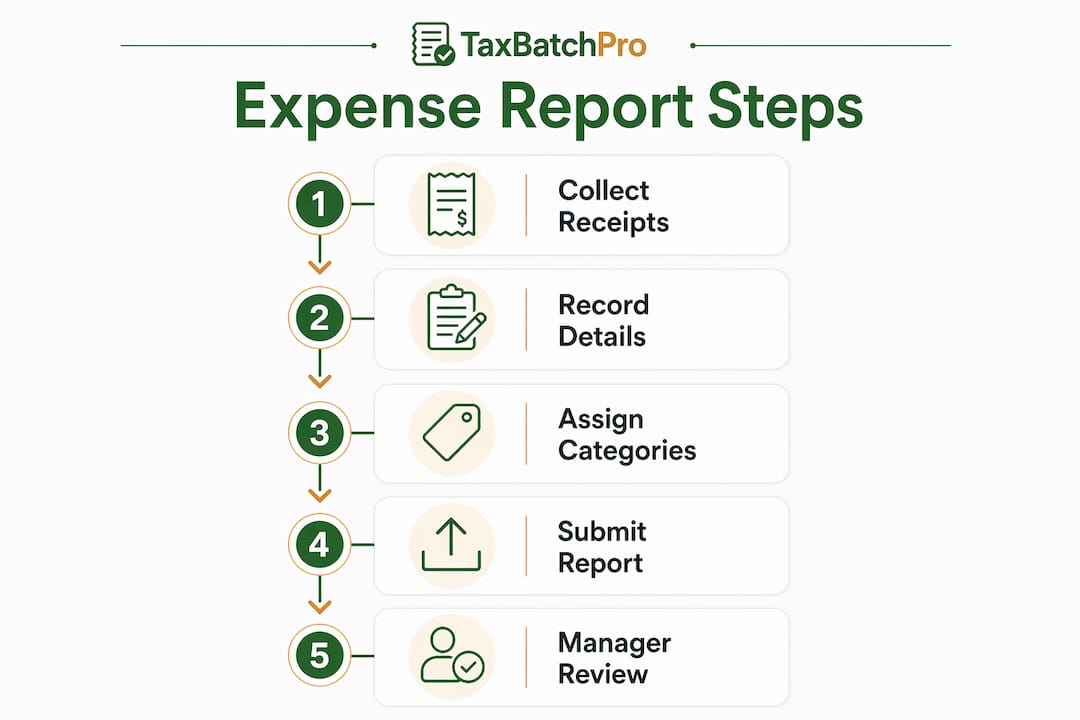
The top reasons expense reports are rejected follow a predictable pattern. Understanding these failure points lets you build a process that avoids them entirely.
The most frequent mistakes include:
- Missing receipts for expenses over $75. This is the leading cause of rejected claims. Hotel rates above a nightly cap and meal totals over the per-diem limit are common rejection triggers in both corporate and government settings.
- No stated business purpose. Writing "dinner" is not sufficient. "Client dinner with ABC Corp to discuss Q3 contract renewal" meets the IRS standard. The distinction matters during an audit.
- Incorrect expense categorization. Coding a client meal as "office supplies" or a software subscription as "travel" creates reconciliation problems and can misrepresent your tax position.
- Exceeding policy limits without prior approval. Booking a hotel above the company's nightly cap without documented approval almost always results in partial reimbursement or full rejection.
- Late submission. Most organizations set submission deadlines between 5 and 60 days after the expense date. Submitting outside that window can void reimbursement eligibility entirely.
Manual expense reports compound these problems. Finance teams that rely on manual processes face math errors, data mismatches, and significant administrative rework. Each error creates a cascading effect: the report goes back to the employee, the approval cycle restarts, and reimbursement is delayed. Automated checking tools catch policy violations and missing fields before submission, eliminating most of these issues at the source.
What is the typical expense report submission process?
The standard expense report process moves through three stages: employee submission, managerial review, and finance processing. Each stage has defined responsibilities and timing expectations.

| Stage | Responsible Party | Typical Timeframe |
|---|---|---|
| Expense collection and report creation | Employee | Ongoing; submitted within policy deadline |
| Managerial review and approval | Direct manager | 2–5 business days after submission |
| Finance audit and reimbursement | Finance or accounting team | 5–15 business days after approval |
| Record archiving | Finance or accounting team | Immediate upon reimbursement |
Submission deadlines vary significantly by organization type. Federal agencies such as NASA and the GSA require submission within 5 working days. Universities such as Harvard and MIT allow up to 60 days for submission. Most private businesses fall somewhere between those extremes, typically requiring reports within 30 days of the expense date.
Late submissions carry real consequences. Some organizations deny reimbursement outright for reports filed past the deadline. Others require a written exception approved by a senior manager. Either outcome creates friction and erodes trust between employees and the finance team. Building a clear, written expense policy that specifies deadlines, approval levels, and consequences removes the ambiguity that causes most late submissions.
Multiple approval levels are common in larger organizations. A direct manager approves the business purpose and policy compliance. A finance officer then verifies categorization and receipt documentation before processing payment. Both levels of certification create a paper trail that satisfies internal audit requirements and supports IRS substantiation if the business is ever reviewed.
How can technology improve expense report preparation?
Manual, spreadsheet-based expense reporting creates a bottleneck in the finance workflow. Data entry errors, lost receipts, and inconsistent categorization are structural problems with manual processes, not user errors. Shifting to automated expense reporting addresses these problems at the process level rather than relying on individual discipline.
Expense management software and AI-powered tools deliver several concrete benefits:
- Automated receipt capture: Mobile apps extract data from receipt images, eliminating manual transcription and the errors that come with it.
- Policy compliance checks: The system flags expenses that exceed category limits or lack required fields before the employee submits the report.
- Approval workflow automation: Reports route automatically to the correct approver based on department, amount, or project code, reducing approval cycle time.
- Integration with accounting systems: Approved expenses post directly to your general ledger or tax preparation workflow, removing duplicate data entry.
- Improved employee morale: Automation reduces repetitive administrative work, which finance teams consistently cite as a source of frustration and burnout.
For small businesses, the most practical entry point is a tool that converts bank and credit card statement data into structured, categorized records. Taxbatchpro processes scanned PDF statements and maps transactions to IRS Schedule C categories automatically, giving small business owners a tax-ready financial record without manual transcription. That capability directly supports the expense report process by ensuring the underlying transaction data is accurate and consistently categorized before reports are prepared.
Pro Tip: When evaluating expense management tools, prioritize IRS category mapping and audit trail features over interface design. A tool that produces clean, categorized data saves far more time during tax prep than one that simply looks polished.
Key takeaways
Effective expense report preparation requires consistent data collection, accurate categorization, and timely submission to protect reimbursements and maintain IRS compliance.
| Point | Details |
|---|---|
| IRS substantiation fields | Every report must include amount, date, place, business purpose, and a receipt for expenses over $75. |
| Timely collection reduces errors | Filing the week expenses occur cuts preparation time significantly and reduces lost receipts. |
| Common rejection causes | Missing receipts, no business purpose, and policy limit violations are the top reasons reports are rejected. |
| Submission deadlines vary | Deadlines range from 5 days at federal agencies to 60 days at universities; know your organization's policy. |
| Automation improves accuracy | Automated tools eliminate manual transcription errors and enforce policy compliance before submission. |
Why expense discipline matters more than most owners realize
After years of working with small business financial records, the pattern is clear: expense report problems are almost never caused by dishonesty. They are caused by process gaps. An owner who travels frequently but has no receipt capture habit will lose hundreds of dollars in legitimate deductions every year, not because the expenses were not real, but because the documentation does not exist when it is needed.
The $75 IRS receipt threshold is widely misunderstood as a floor below which documentation is optional. Treating it that way is a mistake. Auditors look at the totality of your records. A business with clean, complete documentation for every expense, regardless of amount, signals data integrity. A business with gaps signals risk. The IRS does not need to find a single large undocumented expense to question your records. Patterns of missing documentation are enough.
The other underappreciated factor is the cost of late reporting. When employees submit expense reports weeks after travel, they are reconstructing details from memory. That reconstruction introduces errors that require finance team review, back-and-forth communication, and delayed reimbursement. The bookkeeping errors that result from this cycle are predictable and preventable. Building a weekly receipt capture habit and a firm submission deadline eliminates most of them without requiring any software investment at all.
Technology accelerates the process, but discipline creates the foundation. Small business owners who build strong expense habits early will find that scaling their financial operations requires far less rework than those who try to retrofit good practices onto years of inconsistent records.
— Ian
How Taxbatchpro supports your expense reporting workflow
Accurate expense reporting depends on clean, structured transaction data. Taxbatchpro converts scanned bank and credit card statement PDFs into structured Excel spreadsheets, with transactions automatically mapped to IRS Schedule C categories. That means your underlying financial data is organized and audit-ready before you even begin preparing reports.
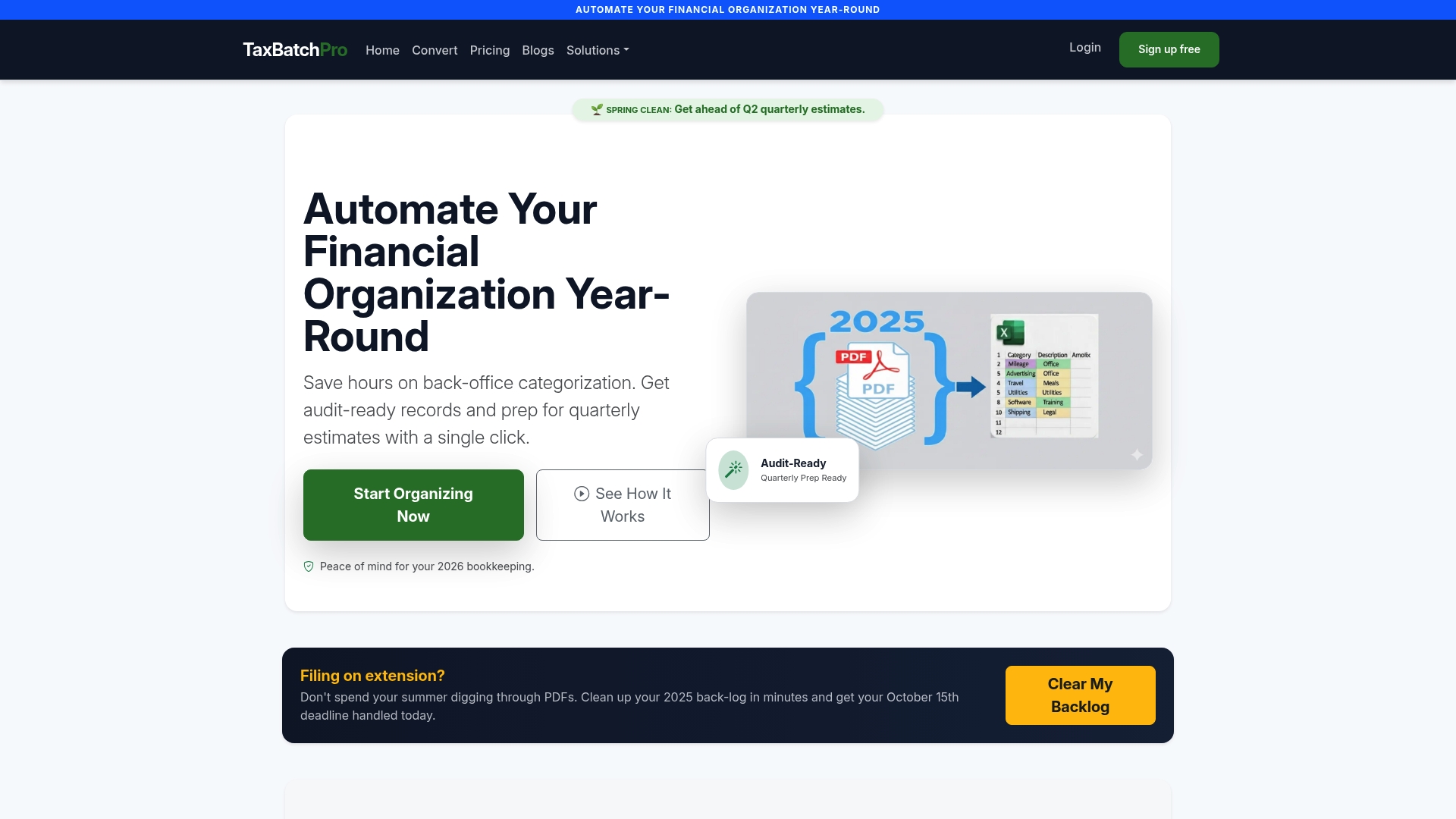
Small business owners and accountants use Taxbatchpro to process a full year of statements in under 90 seconds, eliminating the manual transcription that causes most categorization errors. The platform's statement extraction tools are built for the compliance standards that expense reporting demands. If your current process involves manually entering transaction data into a spreadsheet, Taxbatchpro removes that step entirely and gives your finance workflow a reliable, consistent foundation.
FAQ
What is the IRS receipt requirement for expense reports?
The IRS requires a receipt for any business expense over $75, along with the amount, date, place, and business purpose. Best practice is to collect receipts for all expenses regardless of amount.
How long does a business have to submit an expense report?
Submission deadlines range from 5 working days at federal agencies to 60 days at some universities and nonprofits. Most private businesses require submission within 30 days of the expense date.
What are the most common reasons expense reports are rejected?
The top rejection causes are missing receipts, no stated business purpose, expenses that exceed policy limits, and incorrect expense categorization. Addressing these fields before submission prevents most rejections.
How does automated expense reporting reduce errors?
Automated tools capture receipt data directly, check expenses against policy limits, and route reports to the correct approver without manual intervention. This eliminates the math errors and missing fields that cause administrative rework in manual processes.
What expense categories does the IRS recognize for small businesses?
The IRS recognizes categories such as travel, meals, advertising, office expenses, utilities, and professional services under Schedule C. Each category has specific rules for deductibility, and accurate categorization during expense report preparation directly affects your tax position.