Credit Card Statement Reconciliation Guide for Small Teams

Reconcile every business credit card monthly by matching each statement line to a recorded transaction, then flag and resolve every exception before you close the books. That single habit, done consistently, prevents the majority of month-end scrambles finance teams face. Credit card reconciliation is the process of confirming that every charge on a statement is accurate, authorized, and coded to the right expense category in your books, and PayPal's business resource center notes it's typically performed at the end of every month, quarter, and fiscal year.
Before you close a single reconciliation, run through this checklist:
- Pull the current statement and every supporting receipt, invoice, or expense report tied to it.
- Confirm each transaction is already posted in your general ledger or expense system.
- Match statement lines to ledger entries by amount, date, vendor, and cardholder.
- List every unmatched line as an exception, with a note on suspected cause.
- Post correcting journal entries for fees, interest, or duplicate charges.
- Get sign-off from whoever owns the card and the person closing the books.
Reconcile monthly at minimum. If your business runs more than roughly 100 card transactions a month across all cardholders, Patron Accounting recommends moving to a weekly cadence, since backlog is what turns a 20-minute task into a half-day one.
Pro Tip: Capture the receipt the moment the charge happens, not at month-end. A photo taken at the register beats a memory of what the charge was three weeks later.

Key Takeaways
Reliable credit card reconciliation depends on consistent monthly cadence, a documented matching process, and a receipt policy enforced at the point of purchase rather than chased at month-end.
| Point | Details |
|---|---|
| Reconcile on a fixed cadence | Monthly at minimum; move to weekly once you exceed roughly 100 transactions a month. |
| Match on four fields | Compare amount, date, vendor, and cardholder before flagging a line as an exception. |
| Fix policy before buying tools | Point-of-purchase receipt capture eliminates the most common source of exceptions. |
| Sort exceptions into known buckets | Timing differences, fees and interest, refunds, and errors cover most discrepancies. |
| Extraction removes transcription work | TaxBatchPro converts scanned statement PDFs into structured, Schedule C-mapped Excel files, cutting the manual data entry step out of reconciliation prep. |
Table of Contents
- How Do You Reconcile a Credit Card Statement Step by Step?
- Why Do Credit Card Reconciliations Go Wrong?
- What Policies Make Reconciliation Faster Every Month?
- What Should You Look for in Reconciliation Software?
- How Does Statement Extraction Speed Up Reconciliation?
- Do You Need a Reconciliation Spreadsheet Template?
- What Should Small Finance Teams Fix First?
- How Can TaxBatchPro Simplify Your Reconciliation Workflow?
- Sources
How Do You Reconcile a Credit Card Statement Step by Step?
A full reconciliation cycle has a predictable shape: gather, post, match, investigate, correct, and sign off. Capital One's step-by-step framework breaks this into gathering documents, matching transactions, identifying discrepancies, accounting for outstanding charges, fixing errors, and documenting the final review. Here's how that plays out in practice.
1. Gather every document tied to the statement period. Pull the credit card statement itself, cardholder receipts, vendor invoices, expense reports, and any notes cardholders left about business purpose. Missing even one receipt turns a five-minute match into a research project.
2. Post transactions to the ledger before you start matching. If your expense system already ingests card activity automatically, confirm those entries landed correctly. If postings happen manually, get them into the general ledger first. Trying to match against an incomplete ledger just creates false exceptions.
3. Match each line item against a recorded transaction. Check four fields: amount, transaction date, vendor name, and cardholder. A charge that matches on three of four fields but not the vendor name is usually a mislabeled merchant, not a fraud case.
4. Handle timing differences and pending charges separately. A swipe that happened on the 28th might not post until the 2nd of the following month. Patron Accounting's reconciliation guide identifies this as one of four common adjustment buckets, alongside interest and fees, refunds or chargebacks, and outright errors or duplications. Don't force a pending charge into this month's close; log it and carry it forward.
5. Investigate every exception before dismissing it. Missing receipt, personal spend on a business card, a duplicate charge from a batch processing error. Each has a different fix, and guessing wrong here is how personal expenses end up deducted on a business tax return.
6. Post adjusting entries for fees, interest, and merchant credits. Bank fees and interest charges rarely have a receipt attached to them, so they get missed more than any other line item. Build a habit of scanning the statement summary page specifically for these before you consider the reconciliation done.
7. Get sign-off and file the documentation. A reconciliation without a named approver isn't finished, it's just paused.
Who does what matters as much as the steps themselves:
- Cardholder: submits receipts and a business-purpose note within a set number of days of the charge.
- Approver or manager: reviews and approves the cardholder's monthly expense summary.
- Bookkeeper: performs the line-by-line match and flags exceptions.
- Controller or owner: reviews exceptions, approves adjusting entries, and signs off on the finished reconciliation.
A typical single-card cycle looks like this: download the statement, match it against posted transactions, compile an exceptions list, resolve each exception with documentation, post corrections, and route the finished reconciliation for sign-off. Tipalti's reconciliation guide frames this same arc around verifying business purpose and archiving documentation, which matters more than most teams realize when an audit request lands eighteen months later.
Pro Tip: Keep a running exceptions log across months instead of starting fresh each cycle. Patterns, like the same vendor consistently posting three days late, tell you what's a real problem versus what's just how that vendor's billing works.
Why Do Credit Card Reconciliations Go Wrong?
Most reconciliation headaches trace back to a small set of repeat offenders. Recognizing the pattern early saves you from re-diagnosing the same problem every month.
- Missing receipts. The most common failure point, and usually a policy problem rather than a carelessness problem. If cardholders have no easy way to submit a receipt in the moment, they won't do it later either.
- Duplicate charges. These show up from batch processing errors, a card swiped twice at checkout, or a subscription that renewed on both the old and new card during a card reissue. Check the exact timestamp, not just the date, before assuming duplication.
- Shared cards and unclear ownership. When two employees use the same card number, "who bought this" becomes a guessing game. This is one of the fastest problems to fix through policy and one of the slowest to fix after the fact.
- Personal spend on a business card. Sometimes accidental, sometimes not. Either way, it needs a clear internal process, not a quiet write-off.
- Timing differences. A charge posts on the statement a few days after the swipe. This isn't an error, but treating it like one wastes investigation time every single month.
- Unrecorded bank fees and interest. These rarely generate a receipt, so they slip through unless someone specifically checks the statement's fee summary line.
- Refunds and chargebacks not yet reflected in the books. A merchant credit posted on the statement but never logged internally throws off your running balance until someone catches it.
For each of these, document the resolution the same way: what the exception was, what you found, and what entry corrected it. That documentation is what protects you if a reconciliation gets questioned months later.
Escalate outside your own team when the investigation points to something bigger than a coding error. If a charge looks unfamiliar to the cardholder entirely, or a vendor refuses to acknowledge a duplicate billing, follow this sequence:
- Internal review first. Confirm the cardholder genuinely doesn't recognize the charge and check for an obvious explanation, like a subscription under a different billing name.
- Contact the vendor directly. Many duplicate or incorrect charges resolve faster through the merchant than through a formal dispute.
- File a dispute with the card issuer. Have the statement date, amount, merchant name, and a summary of your vendor contact attempt ready before you call. Most issuers ask for this upfront.
- Involve legal only for confirmed fraud or an issuer dispute that stalls. This is rare, but worth having a clear internal trigger point for so nobody has to decide alone under pressure.
What Policies Make Reconciliation Faster Every Month?
The biggest lever most small businesses underuse isn't a better spreadsheet, it's a better policy. PayPal's guidance on reconciliation is blunt about this: requiring receipts to be uploaded at the point of purchase is a foundational best practice, not a nice-to-have. Chasing documentation three weeks after the fact is the single biggest time sink in most reconciliation cycles.
Build a policy checklist that covers:
- One card per user wherever practical, so ownership is never ambiguous.
- Receipt upload required within a set window of purchase, ideally same-day.
- Manager approval on a defined schedule, not "whenever someone gets to it."
- Spending limits and a list of approved vendor categories per card or cardholder.
- A required business-purpose note on any charge over a set threshold.
Beyond policy, a few operational changes compound over time. Centralizing receipt intake into one inbox or app, instead of scattered emails and paper, cuts search time dramatically. A frictionless receipt-capture workflow at the point of purchase does more to reduce exceptions than almost any downstream fix. Live bank and card feeds, rather than waiting for a monthly PDF, let you catch problems while the charge is still fresh in the cardholder's memory. And a periodic audit of who actually holds a card, run quarterly, catches the ex-employee card nobody canceled or the shared card that quietly became three people's default.
Cadence should scale with volume and risk, not stay fixed at "once a month" regardless of size:
| Transaction volume | Recommended cadence | Why |
|---|---|---|
| — | Monthly | Low volume keeps monthly review manageable without added overhead. |
| — | Monthly, with a mid-month spot check | Catches early errors before they compound into a large exceptions list. |
| Over 100 charges/month | Weekly | Prevents backlog and keeps month-end close from becoming a scramble, per Patron Accounting. |
| Multiple cardholders, high fraud risk | Weekly or daily | Faster detection window limits exposure if a card number is compromised. |
A short policy snippet you can adapt: "All cardholders must submit a receipt and business-purpose note within 3 business days of a charge. Charges without documentation after 10 business days will be treated as an exception requiring manager review." Simple, specific, and enforceable, which is exactly what a policy needs to be to actually get followed.
What Should You Look for in Reconciliation Software?
Not every automation tool is built the same way, and the feature list matters more than the marketing copy. HighRadius notes that automated matching, integrated bank feeds, and rule-based categorization reduce manual errors and speed close time, but only when the underlying rules are configured correctly.
Before evaluating any tool, check for these features:
- Automated matching rules that compare amount, date, and vendor without manual line-by-line review.
- Direct bank and card feed integration, not just manual CSV upload.
- PDF and CSV import support for statements that don't come through a live feed.
- A configurable rules engine for recurring vendors and expense categories.
- A dedicated exceptions workflow, so unmatched items don't get buried in a spreadsheet.
- General ledger mapping that aligns with your existing chart of accounts.
- An audit log that records who matched, approved, or adjusted each transaction.
- User roles that separate who can match, who can approve, and who can post.
On integration, check three things specifically: whether the tool connects to your existing GL or accounting platform through a real connector rather than a manual export, whether its CSV or Excel export format matches what your bookkeeper already uses, and whether it can map expense categories to your Schedule C line items if you're a sole proprietor or single-member LLC filing in the US. Category mapping errors here are quiet but costly. A meal expense coded as office supplies doesn't break reconciliation, but it does distort your tax return.
If you're weighing a move from spreadsheets to automation, run a defined pilot rather than switching everything at once:
- Pick one card or one department for a 30-day test run.
- Track baseline metrics first: how many exceptions you typically find, and how long the reconciliation takes.
- Run the same reconciliation using the new tool in parallel.
- Compare exception counts, time per reconciliation, and days to close.
- Loop in the cardholder, the bookkeeper, and whoever signs off before deciding whether to scale it company-wide.
Automation tends to fail in predictable places: a poorly scanned receipt with a faded total, or a vendor description so generic ("SQ *STORE1234") that no rules engine can categorize it without a human glance. Build that human review step into your workflow instead of assuming automation eliminates it entirely. For businesses reconciling marketplace or ecommerce-originated card charges specifically, BeanHawk's guide to reconciling Amazon payouts in QuickBooks walks through a comparable matching logic for platform-based transactions.
How Does Statement Extraction Speed Up Reconciliation?
The slowest part of manual reconciliation isn't the matching, it's the data entry that has to happen before matching can even start. Statement-extraction tools solve a narrower problem than full reconciliation automation: they turn a scanned PDF statement into structured, row-by-row data you can drop straight into a spreadsheet or accounting system.
The workflow looks like this: you upload PDF statements in bulk, the tool runs OCR and table extraction to identify each transaction line, it maps those columns to a consistent format, and it exports a GL-ready Excel or CSV file. That's the entire process TaxBatchPro's statement extraction service for accounting professionals is built around, and it removes the single most tedious part of reconciliation prep: manually retyping every line from a PDF into a spreadsheet.
A year of statements in under 90 seconds. TaxBatchPro states it can process a full year's worth of scanned bank and credit card statements in under 90 seconds per batch upload. For a business reconciling twelve monthly statements by hand, that's the difference between an afternoon of transcription and a coffee break.
A well-structured extraction output gives your reconciliation the fields it actually needs to match cleanly:
| Column | What it captures |
|---|---|
| Transaction date | The date the charge was made (swipe date) |
| Posting date | The date the charge appeared on the statement |
| Vendor | Merchant name as it appears on the statement |
| Amount | Charge or credit amount |
| Cardholder | Name or ID of the card used |
| Memo | Business purpose note, if captured |
| Transaction ID | Unique identifier for cross-referencing |
| Source PDF reference | The original statement file the line came from |
Extraction gets you a clean, structured dataset. It doesn't replace the judgment calls that come after: someone still needs to confirm business purpose, investigate an exception, and decide whether a duplicate-looking charge is actually duplicated. Treat statement extraction as the step that removes transcription work, not the step that removes review work.
Do You Need a Reconciliation Spreadsheet Template?
If you're not ready for automation yet, or you're reconciling a single card with modest volume, a well-built Excel sheet still gets the job done. The layout matters more than people expect, since a cluttered sheet is almost as slow as no sheet at all.
Structure your reconciliation tab with the same columns extraction tools use: transaction date, posting date, vendor, amount, cardholder, memo, transaction ID, and a status column for matched, unmatched, or exception. That consistency means you can drop extracted data straight into the same template without reformatting.
A few formulas do most of the heavy lifting:
- XLOOKUP or VLOOKUP to pull a matching ledger entry by transaction ID or amount plus date.
- MATCH combined with INDEX when you need a more flexible lookup than VLOOKUP allows, particularly across multiple criteria.
- Conditional formatting to auto-highlight duplicate amounts on the same date, which catches most duplicate charges before you manually spot them.
- Pivot tables to summarize spend by vendor or category for a quick sanity check against your budget.
- Simple macros for repetitive formatting tasks, like applying the same column widths and header styling to a new month's tab.
Excel scales fine up to a point. Once you're managing multiple cardholders, more than roughly 100 transactions a month, or several entities that each need their own reconciliation, manual spreadsheet work starts eating hours that could go toward actual financial analysis instead. That threshold is a reasonable trigger to evaluate automation rather than adding another tab to an already-heavy workbook.
Statistic to keep in mind: businesses running over 100 card transactions monthly benefit from weekly reconciliation cycles rather than waiting for month-end, according to Patron Accounting's reconciliation guide, because backlog at that volume compounds fast.
What Should Small Finance Teams Fix First?
Most reconciliation problems aren't technology problems at first. They're policy problems wearing a technology costume. If your monthly close feels like triage, the fix almost never starts with buying software. It starts with stopping the bleeding.
Here's the order I'd prioritize for a resource-constrained team:
- Enforce receipt capture at the point of purchase. This alone eliminates the largest single category of exceptions. It costs nothing but discipline.
- Set a fixed cadence and stick to it. Monthly if your volume is low, weekly if it isn't. An inconsistent cadence is worse than a slow one, because it means every reconciliation starts from a different-sized backlog.
- Automate matching rules for your highest-volume vendors. You don't need a full platform migration to get value here. Even a rules-based spreadsheet formula that flags known recurring vendors saves real time.
- Pilot statement extraction before you commit to a full platform switch. Test it against one card, one month, and compare the time against your manual baseline before rolling it out further.
Audit-readiness deserves more attention than it usually gets from small teams. A reconciliation without a named sign-off isn't just sloppy, it's a liability if a tax authority or lender ever asks to see your records. The sign-off doesn't need to be elaborate. It needs to exist, consistently, on every single cycle.
What I'd push back on is the instinct to treat automation as a first move rather than a second one. A tool applied to a messy policy just processes the mess faster. Fix the receipt policy and cadence first, then let automation do what it's actually good at: eliminating transcription work on data that's already clean.
How Can TaxBatchPro Simplify Your Reconciliation Workflow?
If manual data entry is what's slowing down your monthly close, TaxBatchPro removes that specific bottleneck rather than trying to replace your entire reconciliation process. It converts scanned bank and credit card statement PDFs into structured, tax-ready Excel spreadsheets, with transactions automatically mapped to IRS Schedule C categories, so the hours you'd normally spend retyping statement lines go toward actual review and sign-off instead.
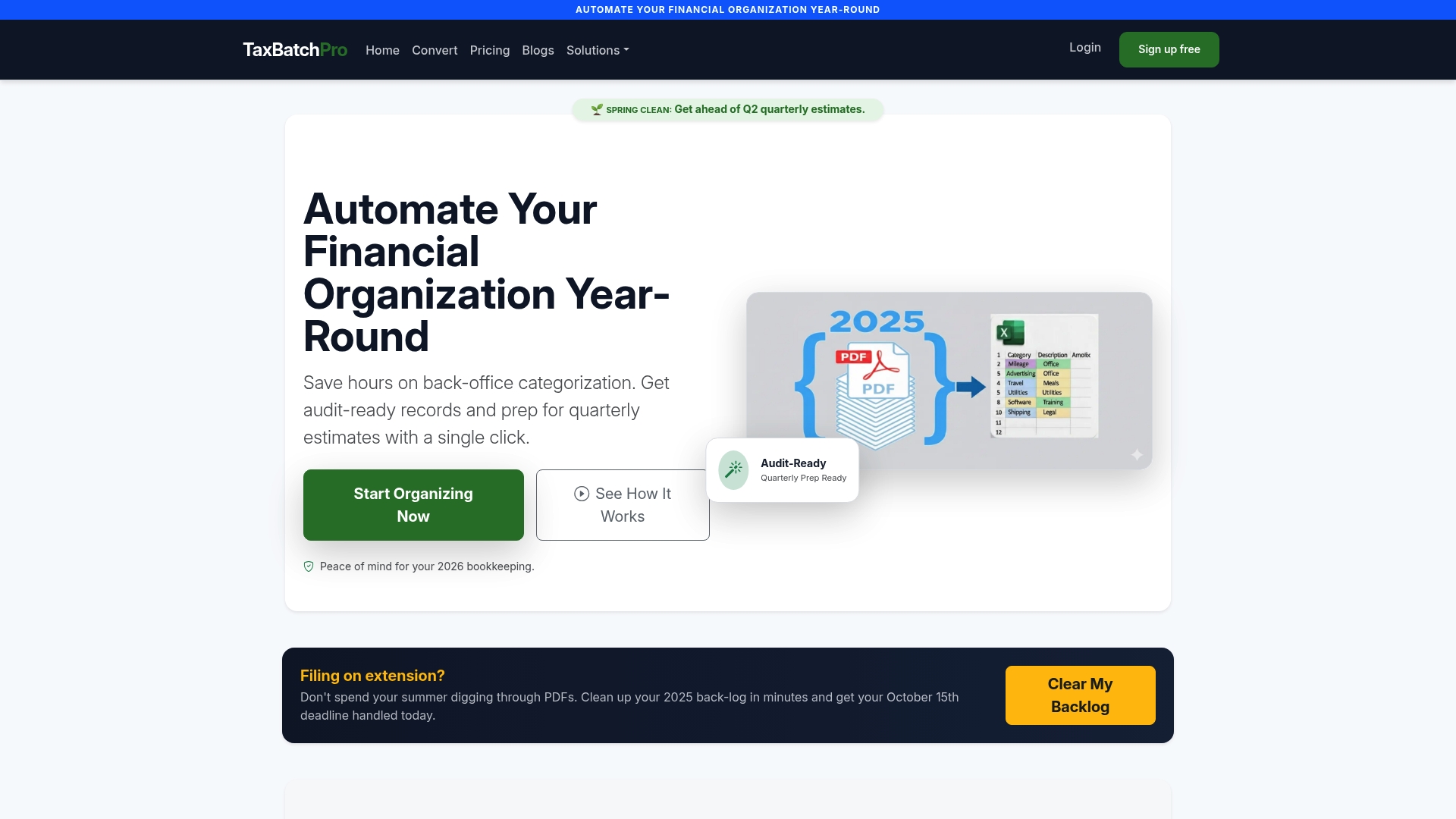
You can test this before committing to anything. TaxBatchPro's free PDF-to-Excel converter lets you upload a sample statement and see the extracted output directly, including how it handles your specific bank's statement format and how cleanly it maps categories. Run that test during a real reconciliation cycle, on one card, and compare the time against your usual manual process. For accountants and bookkeepers managing multiple clients, the batch statement extraction tools handle bulk uploads across client files rather than one statement at a time.
Data handling stays private throughout, since statements are processed securely without manual review by a third party. If your reconciliation backlog is the thing standing between you and a faster close, convert a sample statement and see what a structured export looks like against your own numbers.
Sources
For deeper detail on specific parts of this process, these sources cover the ground this guide draws from:
- Credit Card Reconciliation Process: A Step-by-Step Guide (Capital One)
- Credit card reconciliation (PayPal business resource center)
- Credit Card Reconciliation: Steps, Tips & Best Practices (HighRadius)
- Complete Guide to Credit Card Reconciliation (Tipalti)
This article is general information, not a substitute for advice from a qualified financial advisor. Consult a qualified financial professional about your own circumstances before acting on anything here.