Debit vs. Credit Account Statements: A Schedule C Guide

A bank or debit account PDF contains a routing number, an account number, and balance lines labeled "Available balance" or "Ending balance." A credit-card statement carries a "Minimum payment due," a credit limit, and a card number formatted as a 16-digit PAN. That single distinction determines whether you route the file to a bank-account extractor or a card-account extractor before running any batch process. Under IRS Publication 334, the method you use to recognize income and expenses on Schedule C depends on which account type generated the transaction, so misclassifying a PDF at the routing stage cascades into incorrect period assignments and potential audit exposure. Taxbatchpro auto-detects account type on upload, but understanding the signals yourself keeps your workflow defensible.
Key Takeaways
Correctly identifying a PDF as a bank/debit statement or a credit-card statement at the routing stage is the single most important step for accurate Schedule C extraction.
| Point | Details |
|---|---|
| Header signals first | Routing number confirms bank origin; "Minimum payment due" confirms credit card — check these before full OCR. |
| Transaction-date preference | Use the card transaction date, not the settlement date, to assign expenses to the correct Schedule C period. |
| Two-stage reconciliation | Match card charges to receipts and GL first, then match the card payment in the bank statement to avoid double-counting. |
| Split combined PDFs | One statement per file before batch upload prevents misrouting and keeps confidence scores reliable. |
| Taxbatchpro automates routing | Auto-detection, Schedule C mapping, and audit-ready export replace manual sorting for bank and card statement batches. |
Table of Contents
- How do you tell a debit account PDF from a credit-card statement?
- Statement-level signals that reliably identify account type
- Transaction-level clues that reveal account origin
- Routing and mapping rules for batch extraction
- Tax timing and Schedule C: what the account type changes
- Reconciliation pitfalls and how to avoid double-counting
- How to prepare files for reliable batch extraction
- How automated extraction detects account type and produces Schedule C outputs
- What the most common mistakes actually cost you
- Taxbatchpro cuts classification time and produces audit-ready Schedule C outputs
- Sources
How do you tell a debit account PDF from a credit-card statement?
Run this checklist on the first page of any PDF before committing to full OCR:
- "Minimum payment due" or "Payment due date" — present means credit card; absent is a strong bank signal.
- Routing number (9 digits, ABA format) — exclusive to bank/checking statements; never appears on card statements.
- "Credit limit" or "Available credit" — credit-card only.
- "Statement balance" vs. "Ending balance" — card statements use "Statement balance"; bank statements use "Ending balance" or "Closing balance."
- Card number format (16-digit PAN, often masked as **** 1234) — card statements only.
- Issuer vs. processor name — a card network name (Visa, Mastercard) in the header signals a card statement.
When the first-page scan is ambiguous, check the page count and layout: bank statements typically list deposits and withdrawals in a single running ledger, while card statements separate "New charges," "Payments," and "Fees" into distinct sections.
Run a shallow rule set against those tokens before triggering full-document OCR. This cuts processing time on low-confidence files and prevents wasted compute on misrouted PDFs.*
Statement-level signals that reliably identify account type
The table below maps header fields to account type and detection confidence.
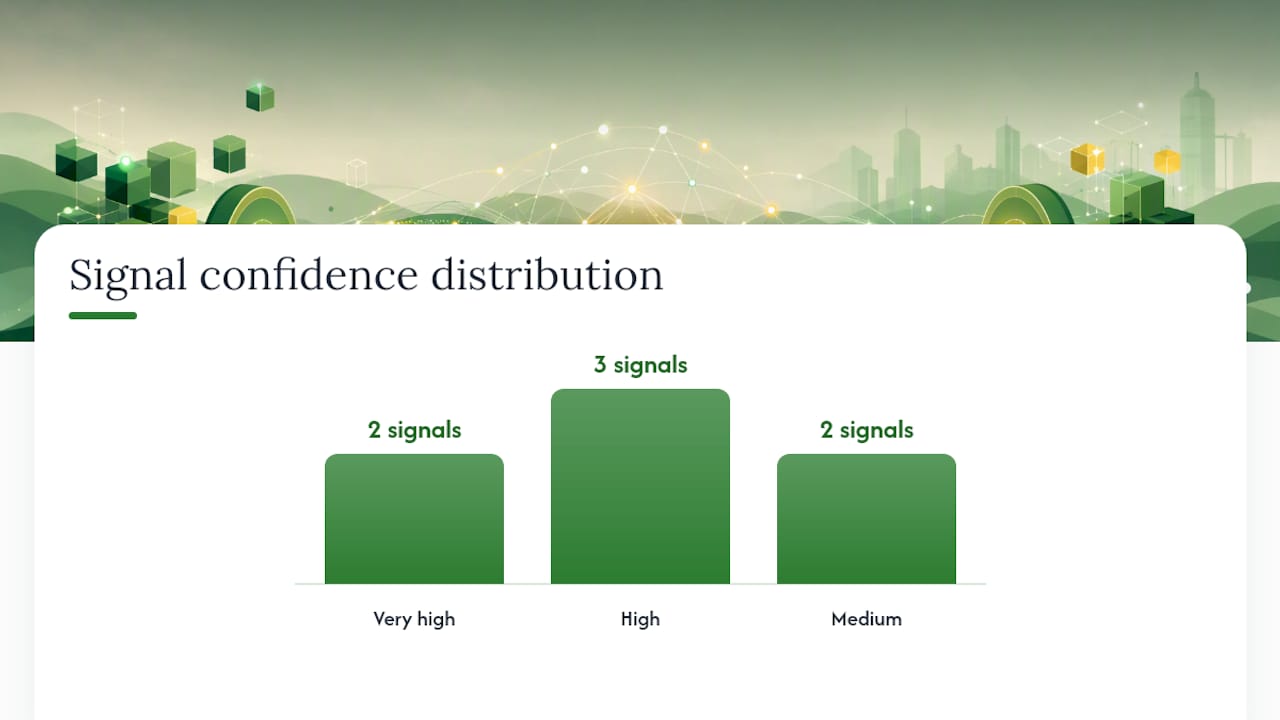
| Signal | Bank/Debit Statement | Credit-Card Statement | Confidence |
|---|---|---|---|
| Routing number (9-digit ABA) | Present | Never present | Very high |
| "Minimum payment due" | Never present | Always present | Very high |
| "Credit limit" field | Absent | Present | High |
| 16-digit PAN (masked) | Absent | Present | High |
| "Ending balance" / "Available balance" | Present | Absent | High |
| Card network name in header | Absent | Present | Medium |
| "Statement balance" label | Rare | Common | Medium |
Ambiguous cases arise with aggregated or multi-account PDFs, where a single file may contain pages from both a checking account and a linked card. In that situation:
- Split the PDF by page range before routing.
- Treat each page group as a separate document.
- Re-run the header scan on page 1 of each split file.
Pro Tip: Use a regex for ABA routing numbers (\b\d{9}\b near the word "routing") and a separate pattern for masked PANs (\*{4}\s?\d{4}) to distinguish the two formats programmatically. The co-occurrence of both patterns in one file is a reliable signal that the PDF is a combined statement requiring a split.
Credit-card reconciliation operates at the individual-charge level, while bank reconciliation confirms account-level totals — a structural difference that starts with the document itself.
Transaction-level clues that reveal account origin
Individual line items carry their own signals, independent of the header.
Bank/debit account transaction indicators:
- ACH entries labeled "ACH Credit," "ACH Debit," or "Direct Deposit"
- Check numbers in a dedicated column
- ATM withdrawal descriptors ("ATM WD," "Cash Withdrawal")
- Wire transfer references ("Outgoing Wire," "Incoming Wire")
- Lump-sum card payment lines ("Payment to Visa *1234") — these represent the card bill being paid from the bank account
Credit-card transaction indicators:
- Merchant name + city + state descriptor (e.g., "AMZN MKTP US*AB12C")
- "Posted" vs. "Transaction" date columns — card feeds often import the settled date rather than the transaction date, so a charge made March 29 may appear as April 2 in the feed
- Refund or credit lines labeled "Credit Adjustment" or "Merchant Credit"
- Foreign transaction fees and currency conversion lines
- "Pending" entries that later resolve to a posted amount
Credit-card feeds differ structurally from bank feeds because of merchant-name variability, timing differences between transaction and settlement, and multi-currency conversion differences that can disrupt simple rule-based matching.
Pro Tip: When amount-based matching is ambiguous, prefer merchant identifier plus a Merchant Category Code (MCC) equivalent over dollar amount alone. Two transactions for $49.00 on the same date from different merchants are not the same transaction.
Routing and mapping rules for batch extraction
Apply these rules in order when processing a batch of PDFs:
- Header scan first. Extract page-1 tokens. If a routing number is present, route to the bank extractor. If "Minimum payment due" is present, route to the card extractor.
- Transaction-attribute override. If the header is unreadable, scan the first 10 transaction lines. ACH or check-number columns confirm bank origin; merchant-city-state descriptors confirm card origin.
- Filename heuristic. If the file is named using a convention that includes "CC," "CARD," or "VISA," treat it as a card statement pending header confirmation.
- Confidence threshold fallback. Files scoring below your confidence threshold (recommended: 85%) go to a human-review queue rather than auto-routing.
- Combined-statement split. Files where both routing-number and PAN patterns appear get split by page range, then each segment re-enters the routing logic at step 1.
For batch processing, describe the decision logic as: header scan → extractor routing → transaction-level parsing → Schedule C mapping → audit package export. AI-driven document extraction applies this two-pass approach at scale, using learned merchant normalization to reduce misclassification that defeats simple string matching.
Tax timing and Schedule C: what the account type changes
The account type affects which date drives your Schedule C deduction.
Under the cash method, an expense is deductible in the year it is actually paid. For a bank account, "paid" means the date the ACH cleared or the check posted. For a credit card, "paid" means the date the charge posted to the card — not the date you paid the card bill. IRS Publication 334 states that the method chosen must clearly reflect income, and the cash method requires showing expenses when actually paid.
Practical date-preference checklist:
- Bank/debit transactions: use the posted date from the bank statement.
- Credit-card charges: use the transaction date (not the settlement date) to avoid period misassignment.
- Card payments from the bank account: exclude from Schedule C — this is a liability payment, not a business expense.
Pro Tip: Flag card charges where transaction and settlement dates span a month boundary, especially those with amounts that post late in the year but settle after year-end. Both are candidates for manual review before finalizing Schedule C. Consult a tax professional for any item where the correct period is genuinely ambiguous.
Reconciliation pitfalls and how to avoid double-counting
The most common errors when working with both bank and card statements together:
- Double-counting card payments. The card payment appears as a debit in the bank statement AND as a "Payment received" credit in the card statement. Count it once, as a liability settlement, not as a business expense in either place.
- Unmatched refunds. A merchant credit on the card statement must be matched to the original charge and netted, not treated as income.
- Merchant-name fragmentation. The same vendor may appear under three different descriptor strings across months. Merchant-name variability is a leading cause of reconciliation drift; learned-matching logic reduces that mismatch compared with simple string rules.
- Inter-account transfers. A transfer from checking to savings is not income or expense — exclude it from Schedule C entirely.
Account reconciliation compares internal ledger records with external statements to find discrepancies; monthly reconciliation reduces issues at tax time.
Follow a two-stage reconciliation procedure: first, match each card charge to its receipt and GL coding; then match the card payment line in the bank statement to the card statement's closing balance. This two-stage approach creates a clean audit trail and prevents double-counting at both zoom levels.
How to prepare files for reliable batch extraction
Before uploading a batch, apply this file-prep checklist:
- One statement per file. Split combined PDFs before upload. A file containing January and February statements for two accounts should become four separate files.
- Filename convention. Use a pattern that encodes account type, entity, and period:
EntityName_BANK_CheckingXXXX_2025-01.pdforEntityName_CC_VisaXXXX_2025-01.pdf. - Resolution. Scan at 300 DPI minimum. Files below 200 DPI produce OCR errors that defeat header detection.
- Pre-run a header-only OCR pass. Extract page-1 text, auto-tag the file as BANK or CARD, and write that tag to the filename or a sidecar metadata file before full extraction.
- Human-review queue. Files tagged with confidence below threshold go to a reviewer before Schedule C mapping runs.
Pro Tip: Monthly reconciliation of bank accounts, as recommended by reconciliation best practices, pairs naturally with a monthly batch-upload cadence. Processing statements monthly keeps the review queue small and errors easy to isolate.
How automated extraction detects account type and produces Schedule C outputs
Automation applies the same signals described above, but at scale and without manual intervention. Taxbatchpro uses header signals, PAN/routing patterns, and transaction heuristics to classify each statement before extraction begins.
The workflow runs as follows:
- Header scan. Page-1 tokens are extracted and matched against routing-number and card-indicator patterns.
- Extractor routing. The file is directed to the bank parser or the card parser based on header classification.
- Transaction-level parsing. Each line is parsed for date, merchant, amount, and transaction type; pending items are flagged separately from posted items.
- Schedule C mapping. Transactions are mapped to Schedule C categories (e.g., advertising, utilities, professional services) using learned merchant normalization that handles merchant-name fragmentation better than rule-only systems.
- Audit package export. The output is a structured Excel file with mapped Schedule C columns, a reconciliation memo, and an exportable audit package. Taxbatchpro can process a year's worth of statements in under 90 seconds.
Pro Tip: Preserve the original PDF hash and the extraction confidence score for each file in your audit package. If a transaction is questioned, you can trace it back to the source document and the confidence level at which it was classified.
What the most common mistakes actually cost you
A major source of extraction errors is misrouted files rather than OCR quality. When a credit-card statement enters a bank extractor, the card payment line gets treated as a business expense, the refund lines get treated as deposits, and the Schedule C output is wrong before a single transaction is reviewed. Fixing that downstream takes longer than the original extraction.
Files that do not clear that threshold belong in a human-review queue, not in the final Schedule C output. The discipline of that standard is what separates an audit-ready export from a spreadsheet that needs to be rebuilt.
Taxbatchpro cuts classification time and produces audit-ready Schedule C outputs
Misrouted PDFs and manual re-keying are the two biggest bottlenecks in statement-to-Schedule C workflows. Taxbatchpro eliminates both by auto-detecting account type on upload and routing each file to the correct parser before extraction begins.
Key capabilities for accountants and bookkeepers:
- Batch processing. Upload a full year of bank and card statements at once; Taxbatchpro classifies and extracts each file without manual sorting.
- Schedule C mapping. Transactions are automatically mapped to IRS Schedule C categories using learned merchant normalization.
- Audit-ready exports. Each output includes a structured Excel file, a reconciliation memo, and an exportable audit package with source traceability.
- Secure processing. Files are handled with privacy-focused protocols appropriate for sensitive financial data.
For ambiguous tax questions — particularly around cash vs. accrual period assignment — consult a qualified tax professional. Taxbatchpro handles the extraction and categorization; a CPA confirms the judgment calls.
Start a free conversion to see how your bank and card statement PDFs map to Schedule C in under 90 seconds. View plan options for firms processing statements at volume.
Sources
- Instructions for Schedule C (Form 1040) (2025) | Internal Revenue Service
- Why Is Credit-Card Feed Reconciliation Breaking in 2026? (reconcile-creditcard-feeds-to-the-ledger-playbook-2026)
- Corporate Card Reconciliation: A Practical Guide for Finance Teams | Corpay
- Credit Card Reconciliation Guide July 2026
- Account reconciliation: What it is and best practices | Sage Advice US
This article is general information, not a substitute for advice from a qualified financial advisor. Consult a qualified financial professional about your own circumstances before acting on anything here.