Data Capture Explained: Methods, Automation, and Best Practices

Data capture is the process of extracting information from documents, forms, or digital sources and converting it into structured data a computer can use, typically through techniques like OCR or Intelligent Document Processing (IDP). For businesses drowning in PDFs and scanned statements, the practical benefit is speed: what used to take a bookkeeper hours of manual transcription now happens in seconds, with fewer transposition errors reaching your books.
Three things matter most as you dig deeper:
- Inputs vary widely. Paper forms, PDF bank statements, emails, sensor feeds, and barcodes all count as data capture sources.
- Speed and accuracy trade off differently by method. Manual entry is flexible but slow; automated IDP is fast but needs validation rules to stay accurate.
- Automation changes the ROI math. Tools like TaxBatchPro convert stacks of scanned statements into tax-ready spreadsheets, shifting the cost equation from "how many hours" to "how many documents per minute." Regulatory frameworks like GDPR and IRS recordkeeping rules also shape how captured data must be stored and handled.
Key Takeaways
Data capture works best when automation handles extraction at scale and validation rules catch errors before they reach downstream reports.
| Point | Details |
|---|---|
| Definition matters | Data capture converts documents or digital sources into structured, computer-readable data, distinct from manual data entry. |
| Match method to input | OCR suits printed text, ICR handles handwriting, and hybrid template-plus-ML approaches cover unpredictable layouts. |
| Validation is non-negotiable | Skipping validation after extraction is the most common organizational mistake and the easiest to prevent. |
| Automation ROI depends on volume | IDP pays off with high document volume and varied formats; simple tools suffice for low, consistent volume. |
| TaxBatchPro fits statement-heavy workflows | It converts scanned bank and credit card statements into audit-ready, Schedule C mapped Excel files through batch upload. |
Table of Contents
- What Is Data Capture? A Clear Definition and Scope
- What Are the Steps in the Data Capture Process?
- Which Data Capture Methods Work Best for Different Inputs?
- What Does IDP Add to Automated Data Capture?
- What Business Benefits Does Data Capture Deliver?
- Is Data Capture the Same as Data Entry or Data Collection?
- How Do You Choose and Implement a Data Capture Solution?
- What Are the Most Common Data Capture Mistakes?
- Should You Build Your Own Data Capture Tool or Buy One?
- A Faster Way to Turn Statements Into Tax-Ready Data
- Frequently Asked Questions
- Sources
What Is Data Capture? A Clear Definition and Scope
At its simplest, data capture is any process for converting information into a form a computer can handle, a definition Oxford Learner's Dictionaries states plainly. In practice, that means pulling data out of documents, images, or recorded interactions and reshaping it into structured formats, as Uniphore's glossary describes it. It sits distinct from data entry (manual keying) and data collection (gathering raw information for research), though the three terms get used loosely and interchangeably in casual conversation.
Common input sources include:
- Paper forms and scanned documents
- PDF bank and credit card statements
- Emails and web pages
- Sensors and IoT devices
- Voice recordings
- Barcodes and QR codes
- APIs feeding data from other software systems
Capture can be entirely manual, semi-automated, or fully automated. Most modern platforms label the automated end of that spectrum "IDP," a term worth knowing before you shop for a solution.
What Are the Steps in the Data Capture Process?
A capture workflow generally follows seven steps, whether it is run by a person, a script, or an AI model.
- Identify sources. Determine which documents or systems hold the target data, whether that is a folder of scanned invoices or a bank's statement portal.
- Ingest. Pull the raw files or feeds into the system, often through bulk upload or an API connection.
- Classify. Sort documents by type so the extraction logic knows what it is looking at, an invoice versus a receipt versus a statement.
- Extract. Pull the actual data points, line items, dates, amounts, using OCR, ICR, or a trained model.
- Validate. Check extracted values against rules or reference data to catch errors before they spread downstream.
- Transform and normalize. Convert formats, standardize currencies or date styles, and map fields to your target schema.
- Store and integrate. Load the clean data into its destination, a spreadsheet, accounting platform, or database.
Pro Tip: Build a feedback loop into step 5. Flag recurring extraction errors and feed them back into your validation rules or model training. Without that loop, data quality decays quietly as document formats shift over time.
Which Data Capture Methods Work Best for Different Inputs?
No single method handles every input well, so matching the technique to the document type is the real skill here.
Optical Character Recognition (OCR) reads machine-printed text and remains the workhorse for typed invoices and statements. It is fast and cheap to deploy but stumbles on messy scans or unusual fonts.
Intelligent Character Recognition (ICR) targets handwriting, the distinction LibreTexts' data science materials/02%3A_Collecting_and_Preparing_Data/2.01%3A_Overview_of_Data_Collection_Methods) draw out clearly between the two. ICR handles filled-out forms well but needs more training data and tolerates fewer errors before accuracy drops.
Optical Mark Recognition (OMR) reads checkboxes and bubbles, common in surveys and standardized tests. It is nearly instant but useless outside its narrow lane.
Barcode and QR scanning capture structured identifiers instantly with near-perfect accuracy, ideal for inventory and shipping, but they only work when the source already carries a code.
Digital web forms and APIs capture data at the point of entry, which sidesteps document processing entirely, fast and accurate, though they require the data source to cooperate in the first place.
Web scraping pulls data from web pages when no API exists. It is flexible but fragile: a website redesign can break your extraction overnight.
Sensors and IoT devices capture real-time readings, temperature, location, usage, automatically and continuously, though setup and maintenance costs run higher.
Voice capture converts spoken input into text, useful for call centers and field data collection, but accuracy depends heavily on audio quality and background noise. Modern strategies increasingly need to handle input from mobile devices, sensors, and voice as part of the same real-time ingestion pipeline.
For unpredictable document layouts, hybrid approaches work best: run template-based extraction first, then fall back to machine learning models when a document does not match a known pattern.
What Does IDP Add to Automated Data Capture?
Basic OCR reads text. Intelligent Document Processing goes further, using AI and machine learning to identify what a document is, classify it, extract the relevant fields, and score its own confidence, all with minimal human input, as Datamation's overview of data capture technology explains. That confidence scoring is the piece basic OCR lacks entirely.
A working IDP system typically includes:
- Ingestion that pulls documents from email, upload, or scanner
- Classification that sorts document types automatically
- Extraction powered by ML models trained on varied layouts
- Validation and QA that flag low-confidence fields
- Human-in-the-loop review for anything the model is unsure about
- Integration that pushes clean data into your accounting or ERP system
IDP earns its cost when volume is high, layouts vary (different banks format statements differently, for instance), and error tolerance is low. If you are processing a handful of consistently formatted documents a month, simpler automation or even careful manual entry may be more economical.
What Business Benefits Does Data Capture Deliver?
The payoff shows up in time, accuracy, and downstream reporting quality.
- Time savings. Batch processing replaces hours of manual transcription with automated runs.
- Fewer manual errors. Automated extraction removes the transposition mistakes that creep into hand-typed spreadsheets.
- Faster workflows. Documents move from inbox to usable data without sitting in a queue.
- Better reporting. Structured, validated data feeds cleaner dashboards and tax filings.
- Lower operational costs. Less staff time spent on repetitive keying.
- Stronger audit readiness. Consistent, traceable extraction leaves a cleaner paper trail.
Enterprise deployments that integrate capture into a single information platform typically report reduced physical paper handling and the elimination of manual entry for high-volume document types, according to Hyland's overview of data capture. Those gains are not automatic, though. They depend entirely on solid validation practices and clean integration with whatever system receives the data downstream.
Is Data Capture the Same as Data Entry or Data Collection?
The three terms get used interchangeably, but they describe different jobs.
- Data capture extracts existing information from a document or system and converts it into structured data, usually with automation involved. Example: pulling transaction details from a scanned bank statement.
- Data entry is the manual act of typing information into a system by hand. Example: a bookkeeper keying receipt totals into a spreadsheet line by line.
- Data collection is the broader research process of gathering new information, often through surveys, interviews, or observation, to answer a specific question. CASRAI's guide to data collection methods frames method choice as something that should follow your research question, not precede it.
Industry language varies. Some accounting software vendors call any form-filling "data capture," while research fields reserve that term for automated extraction specifically. Precision matters when you are evaluating tools, because a vendor's "capture" feature might just be a glorified digital form.
How Do You Choose and Implement a Data Capture Solution?
Run through this checklist before committing budget to any platform:
- Assess input volume and variety. How many documents per month, and how many different layouts or formats?
- Define accuracy requirements. Tax documents demand near-perfect accuracy; internal notes tolerate more slack.
- Map integration endpoints. Confirm the tool connects to your accounting software, CRM, or ERP without manual export/import steps.
- Evaluate security and compliance. Check encryption standards, data retention policies, and audit trail capabilities.
- Calculate total cost of ownership. Include subscription fees, setup time, and ongoing maintenance, not just the sticker price.
- Check vendor support and SLAs. Ask what happens when extraction accuracy drops on an unfamiliar document type.
Once you have shortlisted a solution, run a small pilot:
- Select a representative sample of your actual documents, including a few messy or unusual ones.
- Run the pilot against clear acceptance criteria (target accuracy rate, processing time per batch).
- Measure error rates and confirm the output integrates cleanly with your existing systems.
Security and compliance are not optional line items. Data protection, retention schedules, encryption in transit and at rest, and audit trails belong in every evaluation, not just the ones handling sensitive financial records.
What Are the Most Common Data Capture Mistakes?
Most capture failures trace back to a handful of avoidable oversights.
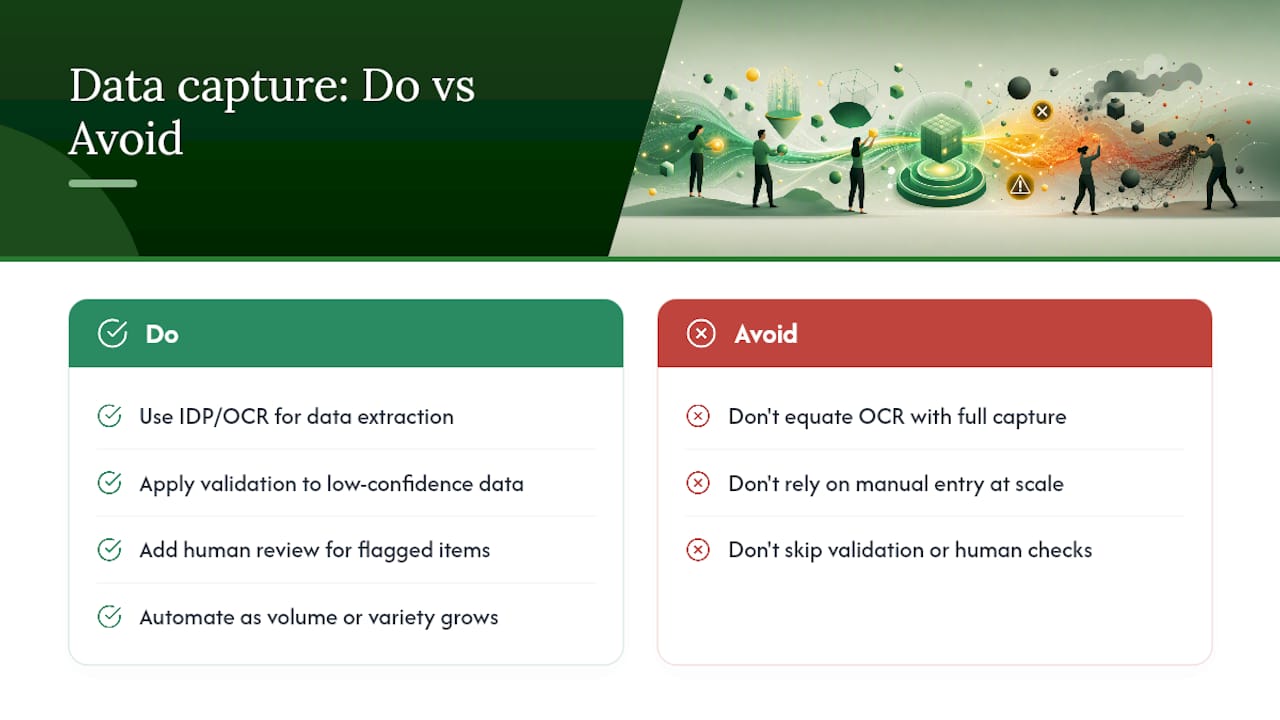
- Skipping validation entirely. Teams treat extraction as the finish line when it is really the midpoint.
- Under-sampling edge cases. Testing only on clean, standard documents leaves you blind to how the system handles unusual formats.
- Neglecting secure storage. Captured financial data left in unencrypted folders is a compliance problem waiting to surface.
- Failing to plan integrations early. Bolting on a connection to your accounting system after deployment costs far more than designing it upfront.
Practical fixes worth building into any rollout: automated validation rules that flag anomalies immediately, a human-in-the-loop step for low-confidence extractions, periodic model re-training as document formats shift, and metadata tracking so you always know where a data point came from.
Pro Tip: Treat validation as an ongoing process, not a one-time gate. Skipping it after extraction is the most common error data professionals report, and the fix is cheap compared to the cost of bad data reaching a tax filing or financial report.
Should You Build Your Own Data Capture Tool or Buy One?
In-house builds offer control and custom logic but demand ongoing engineering time to handle new document formats. SaaS platforms trade some of that customization for speed, support, and updates that happen without your team lifting a finger.
The decision rule is simple: high volume and varied document layouts favor buying a service. Low volume with consistent, simple formats makes a DIY or template-based tool perfectly reasonable.
A Faster Way to Turn Statements Into Tax-Ready Data
If you are weighing build versus buy for financial document processing specifically, Taxbatchpro gives accountants and small business owners a shortcut that skips months of internal tooling work. It converts scanned bank and credit card statement PDFs into structured Excel spreadsheets, mapping transactions automatically to IRS Schedule C categories instead of leaving that categorization to manual review.
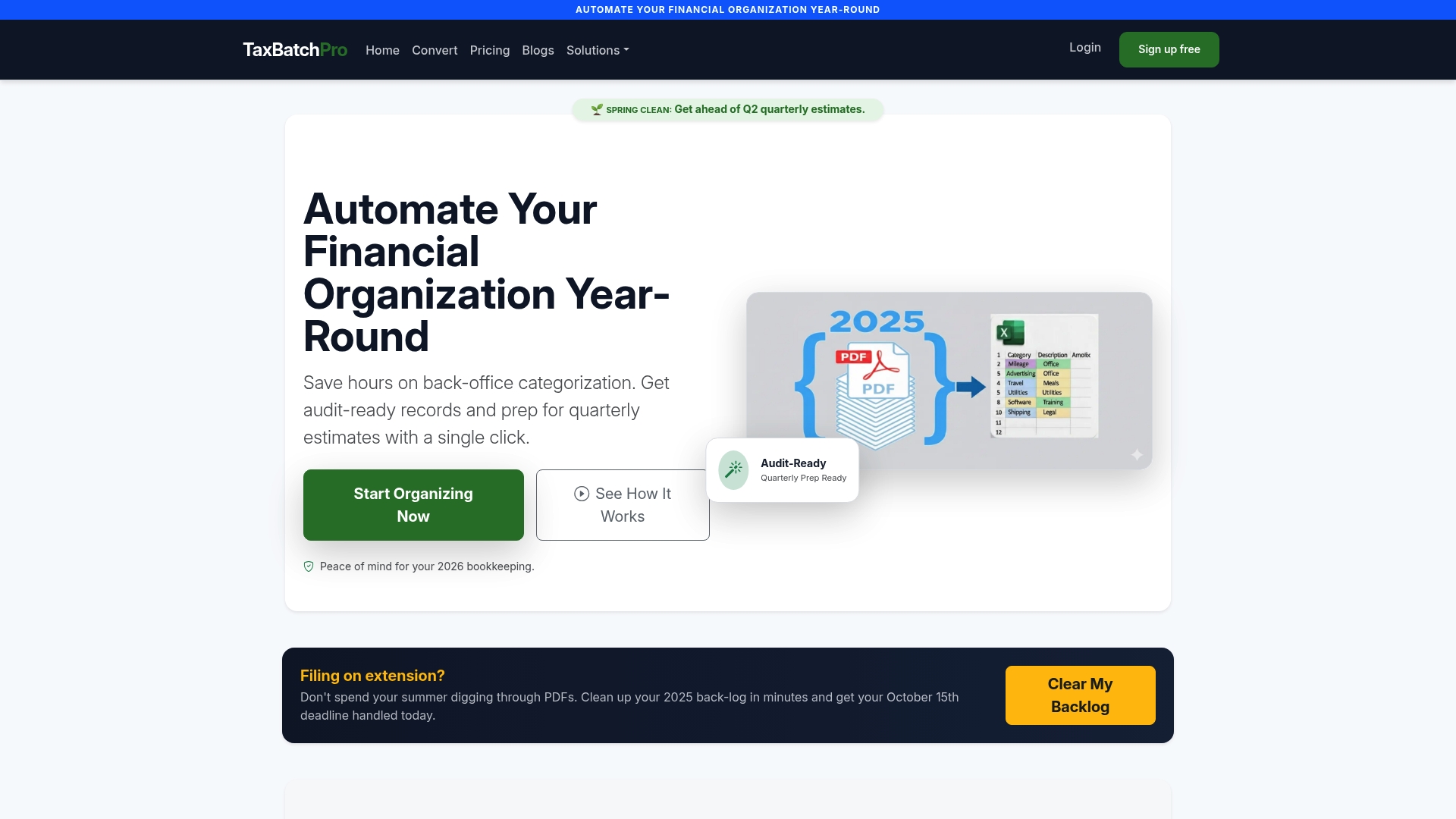
Batch uploads mean a substantial volume of statements can be processed much faster than the hours a bookkeeper would spend transcribing line items by hand. Every export is built to be audit-ready, and the platform processes documents with security practices designed for sensitive financial data, an important consideration given the compliance checklist covered earlier. For teams currently doing manual entry or evaluating whether IDP is worth the investment, running a batch through the free bank statement converter is the fastest way to see extraction accuracy on your own documents, or visit the accountant-focused statement extraction page to see plan options built for firms handling client volume.
Frequently Asked Questions
What is data capture in simple terms? Data capture is the process of pulling information out of a document, image, or digital source and converting it into structured data a computer can use, often through OCR or IDP technology.
Is data capture the same as OCR? No. OCR is one technique used within data capture. Data capture is the broader process, which can include OCR, ICR, barcode scanning, APIs, and other extraction methods.
How accurate is automated data capture? Accuracy depends on document quality, layout consistency, and whether validation rules catch low-confidence extractions before the data moves downstream. Well-designed IDP systems with human review for flagged items achieve the highest reliability.
Do small businesses need automated data capture? It depends on volume. A business processing a handful of documents monthly may manage fine with manual entry or basic templates. Once volume or document variety grows, automated tools like TaxBatchPro typically save more time than they cost.
What industries use data capture the most? Accounting and finance, healthcare, insurance, and logistics rely heavily on data capture, since each handles large volumes of documents that need to become structured, searchable data quickly.
Sources
- What Is Data Capture? A Comprehensive Guide — Datamation
- Data Collection Methods: Complete Guide — CASRAI
- What is Data Capture? — Uniphore glossary
- data capture noun - Definition — Oxford Learner's Dictionaries