Why CPA Firms Are Adopting Document Automation in 2026

CPA firms adopt document automation because it cuts document processing time by roughly half, builds a consistent audit trail across every engagement, and shrinks the peer-review exposure that comes from manual, inconsistent workpapers. The business case rests on three pillars: speed, standardization, and risk reduction.
The evidence is specific. Vendors report 30 to 70% time savings on common accounting tasks. Disciplined intake implementations can move 85% of new clients to an 80% document threshold within 72 hours. AICPA-aligned benchmark surveys tied to the same research point to strong returns on disciplined automation rollouts (https://ustechautomations.com/resources/blog/accounting-automation-playbook-cpa-firms-2026).
- Time savings of 30 to 70% on repeatable document tasks
- Faster client onboarding: most clients hit document completion within days, not weeks
- Lower peer-review risk through consistent, traceable workpaper generation
Verdict: Start with a pilot on document collection and bank statement extraction. These two tasks show the fastest, most measurable wins before you touch more complex workpapers.
Key Takeaways
Document automation succeeds when firms pair fast, accurate extraction tools with disciplined human review and a clear audit trail for every workpaper.
| Point | Details |
|---|---|
| Time savings are substantial | Vendors report 30 to 70% time savings on common document tasks, with LLM tools cutting analysis time by about half. |
| Start with statements and intake | Bank statements and client intake bundles deliver the fastest ROI and shortest payback window. |
| Peer review risk drops with consistency | Automated templates apply the same structure to every engagement, reducing documentation gaps reviewers flag. |
| Security credentials are non-negotiable | Require SOC 2 attestation and WISP alignment before signing with any automation vendor. |
| TaxBatchPro targets the highest-ROI use case | TaxBatchPro converts scanned statements into Schedule C-mapped spreadsheets in under 90 seconds, the exact starting point this article recommends. |
Table of Contents
- Why CPA Firms Adopt Document Automation: The Core Business Drivers
- Which Document Types Fit Automation Best in a CPA Practice
- Concrete Benefits: Efficiency, Accuracy, and a Stronger Audit Trail
- Professional Standards, Peer Review, and Compliance Pressure
- What to Evaluate When Choosing a Document Automation Tool
- How to Roll Out Document Automation Without Breaking Controls
- How Extraction and Tax Mapping Actually Work
- Security, Privacy, and Governance Controls to Demand
- Frequently Asked Questions
- Sources
Why CPA Firms Adopt Document Automation: The Core Business Drivers
Partners adopt automation driven by the significant capacity and risk factors involved. CPA.com's research frames AI-driven document handling as an "invisible infrastructure" that firms now treat as essential rather than experimental, and that shift shows up directly in staffing math: automated document intake reallocates hours that used to go to chasing PDFs toward advisory work that actually grows revenue per full-time employee.
The risk side matters just as much. Manual document handling produces inconsistent workpapers, and inconsistency is exactly what peer reviewers flag. Automated templates apply the same structure to every engagement, which narrows that exposure considerably.
- LLM-based extraction tools can cut document analysis time by about half or more (https://www.cpa.com/sites/cpa/files/2025-06/CPAcom-2025-AI-in-Accounting-Report.pdf?form=MG0AV3)
- Firms report reducing non-billable hours by 35 to 55% annually once document workflows are automated
- Chase fatigue (the endless email loop chasing missing statements) drops sharply once intake is systematized
Statistic Callout: Some firms report automating more than 80% of individual return preparation in narrow, well-defined use cases like statement-to-Schedule C mapping.
Which Document Types Fit Automation Best in a CPA Practice
Not every document benefits equally from automation. The best candidates share three traits: structured or semi-structured data, high volume, and heavy chase overhead when handled manually.
- Client intake bundles (IDs, prior returns, signed engagement letters)
- Bank and credit card statements, especially multi-page scanned PDFs
- Payroll reports and quarterly filings
- Prior-year returns and supporting workpapers
- Engagement letters requiring e-signature
- Recurring internal templates (checklists, memos, review notes)
Statements and payroll documents automate especially well because their layouts repeat month over month, giving extraction engines a consistent pattern to learn from. Engagement letters and intake bundles automate well because e-signature workflows eliminate the back-and-forth that eats staff time before work even starts.
Pro Tip: Sequence your rollout. Start with statement extraction and document collection, the two tasks with the shortest payback window, before moving into workpaper automation, where document structure is less standardized and requires more validation.
Concrete Benefits: Efficiency, Accuracy, and a Stronger Audit Trail
The financial case for automation rests on measurable outcomes, not vague promises of "efficiency."
| Metric | Reported Range |
|---|---|
| Time savings on common tasks | 30 to 70% |
| Document analysis time reduction (LLM tools) | 30 to 70% |
| Non-billable hour reduction | 35 to 55% annually |
| ROI on disciplined implementations | 3 to 5x |
| Payback window for simple workflows (e-signatures, payroll reminders) | 30 to 60 days |
Beyond the numbers, automation delivers benefits that are harder to quantify but just as valuable: firm templates get applied the same way every time, which reduces the "why does this workpaper look different from last year's" question peer reviewers love to ask.
- Faster billing cycles once documents clear intake sooner
- Improved collections when engagement letters and payment terms are signed digitally at the start
- Higher staff capacity for advisory work instead of data entry
Professional Standards, Peer Review, and Compliance Pressure
Peer review doesn't care how busy your staff was during tax season. It cares whether your documentation is consistent, evidenced, and traceable. That's the quiet driver behind a lot of automation adoption: firms are tired of documentation gaps surfacing during review cycles.
Automated workflows create a built-in evidentiary trail. Every extracted figure, every mapped category, every reviewed exception gets logged automatically instead of living in someone's inbox. That consistency directly supports tax return accuracy standards that reviewers expect firms to meet.
Standardization beats complexity for predictable tasks. Firms outperforming their peers in 2026 tend to be the ones that mastered disciplined, trigger-based workflows, not the ones chasing the flashiest AI tool on the market.
When evaluating a vendor, look for SOC 2 attestation, alignment with a Written Information Security Plan (WISP), and contract language specifying how client data is handled, stored, and destroyed.
What to Evaluate When Choosing a Document Automation Tool
Selecting the wrong tool creates more work than it saves. Run every vendor through the same evaluation lens.
Core functional criteria:
- Can it model actual accounting document structures (multi-page statements, payroll summaries, tax forms)?
- Does it support template customization for firm-specific workpapers?
- What's the stated extraction accuracy rate, and how is it validated?
- Does it map directly to tax categories (Schedule C, chart-of-accounts) or require manual re-entry?
- Does it integrate with your existing tax, practice management, and accounting systems?
Security and compliance criteria:
- SOC 2 Type II attestation
- Encryption at rest and in transit
- WISP alignment for firms handling federal tax data
- Clear contract clauses on data retention and breach notification
Commercial and operational criteria:
- Pricing model: per-page, per-user, or flat subscription
- Implementation support and onboarding timeline
- Service-level agreements (SLAs) for uptime and support response
- Required pilot metrics: accuracy rate, processing time, exception rate
Vendor selection checklist:
- Request a live demo using your own sample documents, not vendor stock samples
- Ask for documented extraction accuracy benchmarks, not marketing claims
- Confirm SOC 2 status and request the attestation report directly
- Pilot with one document type for one full cycle before expanding
- Verify integration paths with your current tax and practice management software
A tool that scores well on functionality but fails security review isn't a shortlist candidate, regardless of price.
How to Roll Out Document Automation Without Breaking Controls
The safest rollout pattern follows three phases: pilot, expand, embed.
- Pilot — Choose one high-volume, low-complexity document type (bank statements are a common starting point) and run it for one full billing cycle
- Expand — Add adjacent document types once the pilot hits your accuracy and time-savings targets
- Embed — Fold the workflow into standard operating procedure, with training and governance documentation
Implementation checklist:
- Map data fields before go-live, not during
- Define integration points with your practice management and tax software
- Build human-in-the-loop gates so nothing reaches a client deliverable without review
- Establish QA sampling and a documented exception workflow
Change management essentials:
- Train staff on what the tool does and does not do automatically
- Set gating rules preventing unready or unreviewed documents from reaching senior staff
- Assign someone ownership of periodic validation, so accuracy doesn't quietly drift over time
Firms that skip the pilot phase and roll out firm-wide on day one tend to generate the most support tickets and the least trust in the tool.
How Extraction and Tax Mapping Actually Work
The process flow looks simple on a slide but has real technical nuance: ingestion, OCR or structured extraction, field validation, mapping to chart-of-accounts or tax categories, then human review and reconciliation.
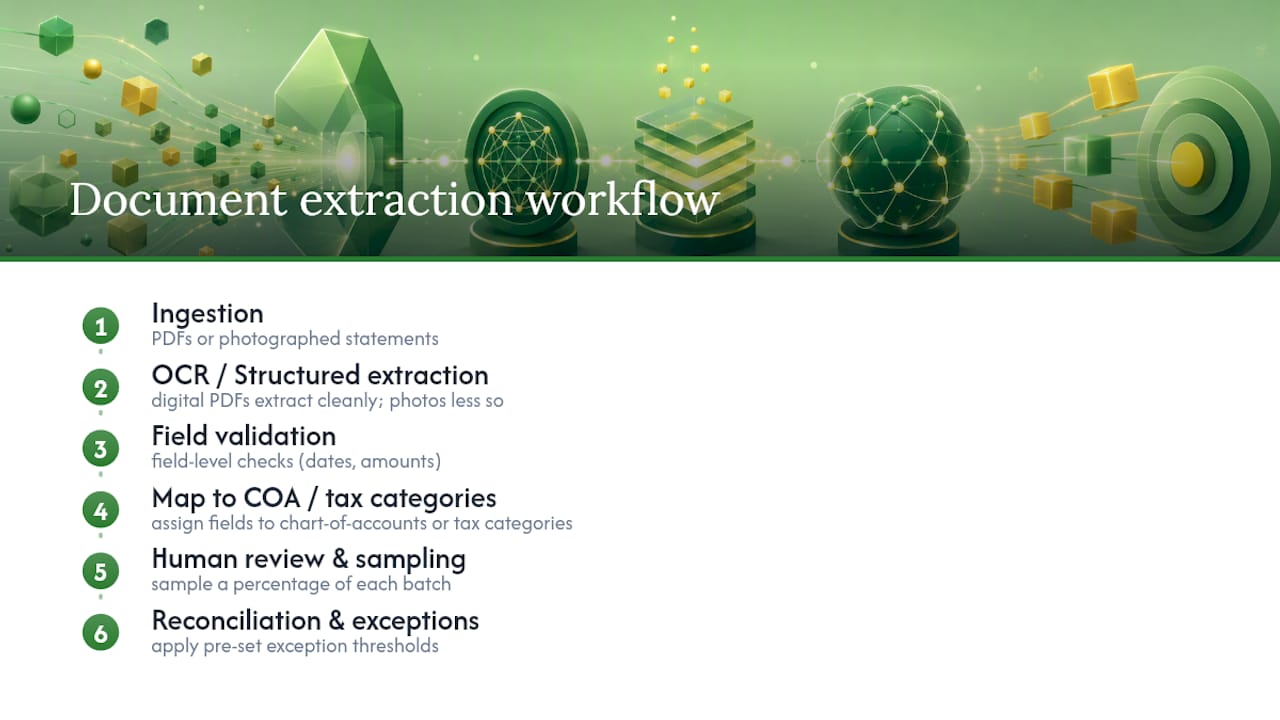
Accuracy hinges on document quality. A crisp digital PDF extracts cleanly. A photographed, slightly crooked bank statement from a client's phone does not, and that's where most extraction failures happen. Nonstandard statement layouts, i.e., a regional credit union's format that doesn't match the major national bank templates most engines are trained on, cause similar friction.
Mitigation comes down to layered validation. Field-level checks catch obvious mismatches (a transaction date outside the statement period, for example). Sampling a percentage of every batch for manual review catches the errors that pass field checks but still don't make sense. This is the same architecture behind AI-driven document data extraction tools built specifically for accounting workflows.
Pro Tip: Set your exception threshold before go-live, not after. Decide upfront what error rate triggers manual review versus automatic acceptance, so staff aren't making that call ad hoc during crunch season.
Throughput matters too. A firm processing a full year of statements in under two minutes frees staff for the work that actually requires professional judgment.
Security, Privacy, and Governance Controls to Demand
Security failures don't just create IT headaches. For a CPA firm, they create professional liability. Before signing with any automation vendor, confirm these baseline protections.
- SOC 2 attestation covering the specific service you're buying
- Encryption at rest and in transit for all client financial data
- Multi-factor authentication and role-based access controls
- Detailed logging with defined retention schedules
Contract and governance essentials:
- Data handling and breach notification clauses, spelled out, not implied
- Audit rights allowing your firm to verify vendor controls periodically
- Documented SLAs for uptime and incident response
Hosted infrastructure improves security and disaster recovery in ways most firms can't replicate on internal servers, which is one reason cloud-based automation tools have become the default rather than the exception. Data partitioning per engagement and periodic accuracy sampling round out a governance program that holds up under scrutiny.
The Strategic View: Automation as Infrastructure, Not Headcount Reduction
The firms winning this shift aren't the ones with the most tools. They're the ones treating automation as infrastructure, disciplined trigger-based workflows with strict human-in-the-loop review, freeing staff capacity for advisory work rather than cutting headcount. Every tactical decision above, from tool selection to rollout sequencing, only pays off when it serves that longer strategic goal.
How TaxBatchPro Handles Statement Extraction and Tax Mapping
Every evaluation criterion in this article, extraction accuracy, mapping to tax categories, audit-ready output, points toward the same use case: getting scanned bank and credit card statements into structured, tax-ready format without manual transcription. That's exactly what TaxBatchPro was built to do.
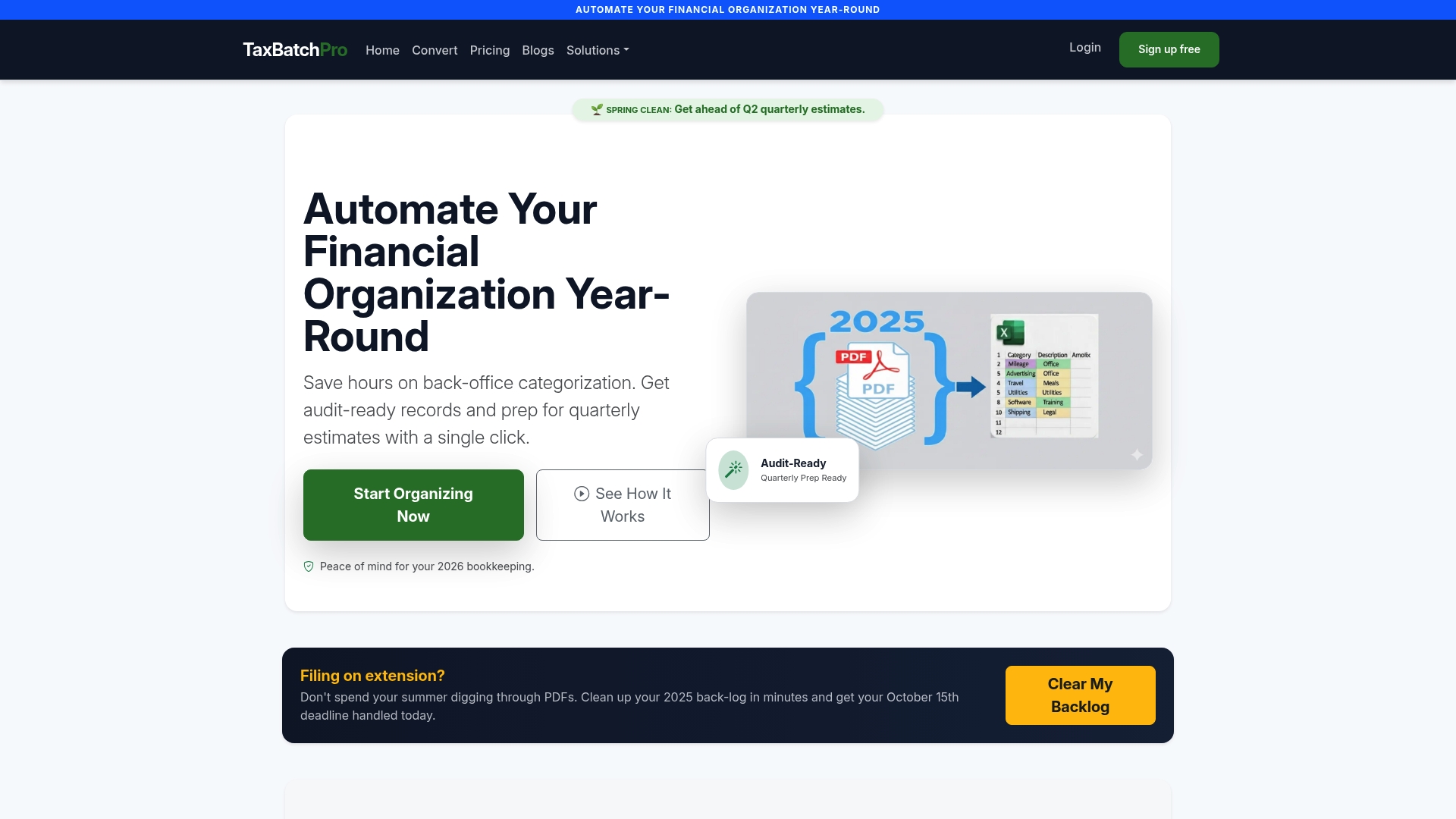
- Converts scanned statement PDFs into structured Excel spreadsheets in batch
- Automatically maps transactions to IRS Schedule C categories
- Processes a full year of statements in under 90 seconds
- Generates audit-ready export packages for peer review and client delivery
- Secure, privacy-focused processing built for accounting workflows
If your firm is piloting document automation, statement extraction is the logical starting point this article recommends throughout. Test the workflow yourself on the free conversion tool, or review pricing plans built for firms processing client statements at volume.
Frequently Asked Questions
Why do CPA firms adopt document automation instead of hiring more staff? Automation addresses a capacity problem hiring can't solve fast enough. It processes repeatable, high-volume documents like statements and payroll reports in minutes, freeing existing staff for advisory work that actually grows the firm rather than adding headcount to handle data entry.
What's the typical payback period for document automation? Simple workflows like engagement e-signatures and payroll reminders often pay back within 30 to 60 days. More complex workpaper automation takes longer to show full ROI, usually a full tax season.
Does document automation increase peer review risk? No. When implemented with proper human-in-the-loop review, it reduces peer-review risk by applying consistent templates and creating a traceable audit trail for every engagement, something manual processes struggle to maintain across a busy season.
What should a firm automate first? Bank and credit card statement extraction and client intake bundles. Both show the fastest measurable wins because they're high-volume, structured, and carry heavy chase overhead when handled manually.
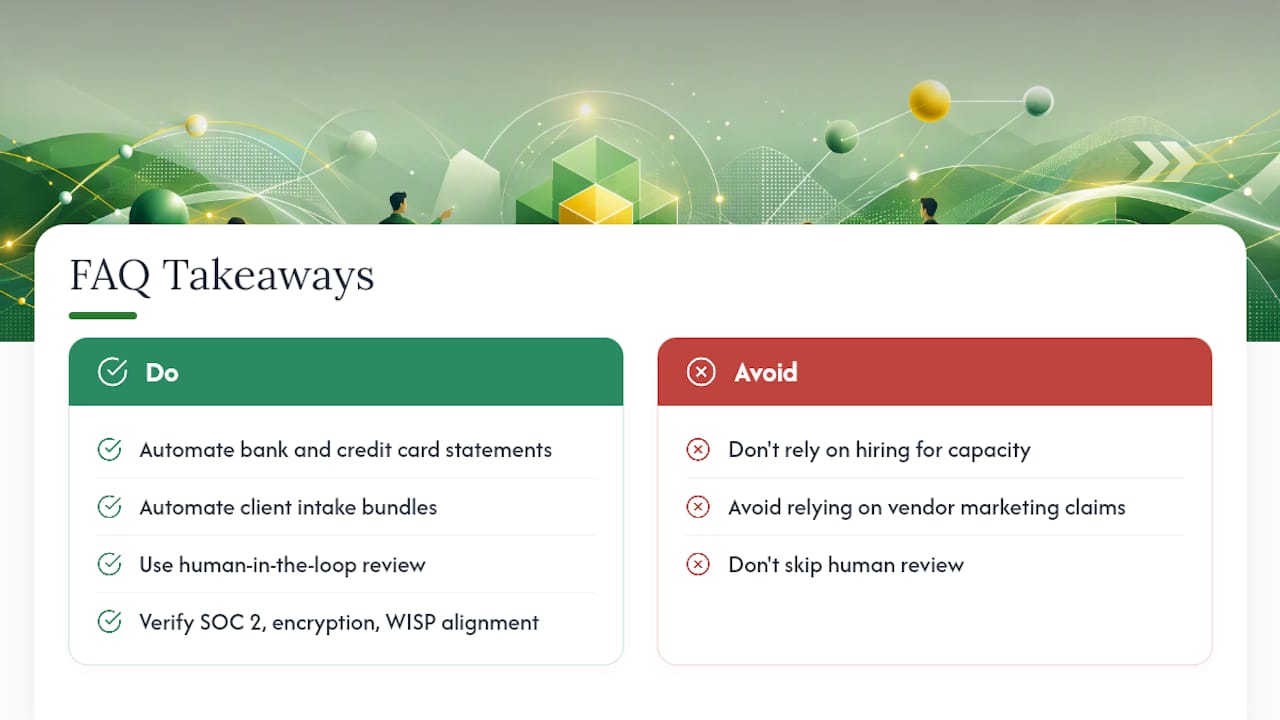
Is cloud-hosted document automation secure enough for tax data? Reputable vendors carry SOC 2 attestation, encrypt data at rest and in transit, and align with WISP requirements. Confirm these credentials directly rather than relying on marketing language before trusting any vendor with client tax data.
Sources
- CPAcom 2025 AI in Accounting Report (PDF)
- Capture Accounting Client Intake Automation 2026 (With Templates)
- Is there a cost benefit to software hosting for CPA firms? (CPA Practice Advisor)