What Is a Client Portal for Accountants for PDF-to-Excel Work?

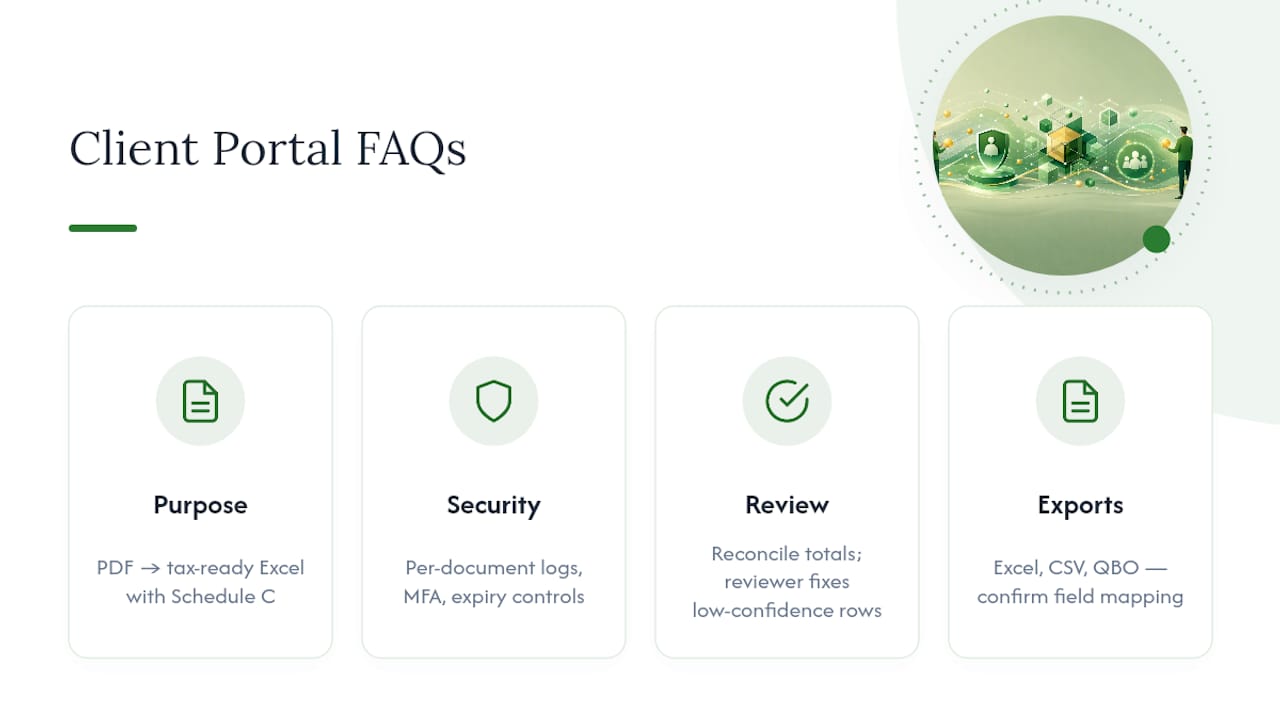
A client portal for accountants, in the sense that matters for tax season, is a secure upload-and-processing interface that accepts bank and credit card statement PDFs and returns structured, tax-ready Excel with Schedule C categorization already applied. It replaces the folder of email attachments with a system built for compliance and speed.
The core capabilities you should expect: automated OCR and data extraction, mapping of every transaction to a Schedule C line item, authenticated upload with real access controls, and an audit-ready export package your firm can hand to a reviewer or an insurer. This is the category IRS Publication 4557 points toward when it warns firms away from plain email for sensitive tax data. Tools like TaxBatchPro sit in this category, and outputs typically move into a format compatible with QuickBooks.
- Secure, authenticated upload for statement PDFs
- Automated extraction and Schedule C mapping
- Export to tax-ready Excel, CSV, or QuickBooks-compatible files
- Audit trail suitable for compliance review
Key Takeaways
A compliant client portal for accountants combines encrypted, authenticated upload with automated Schedule C mapping and an audit-ready export, replacing email attachments entirely.
| Point | Details |
|---|---|
| Definition matters | The portal type covered here converts statement PDFs into Schedule C-ready Excel, not general messaging software. |
| Security floor | MFA, per-document access logs, and configurable retention are non-negotiable minimums. |
| Workflow has checkpoints | OCR and extraction still need reconciliation against statement balances and reviewer validation on flagged rows. |
| Rollout is fast | A disciplined two-week plan, piloted with 3 to 5 clients, gets a firm off email attachments. |
| TaxBatchPro fits the use case | Batch upload, automated Schedule C mapping, and audit-ready Excel/QBO export target this exact workflow. |
Table of Contents
- What Minimum Security Features Should a Portal Have?
- How Does Statement Extraction Turn PDFs Into Schedule C Data?
- Does IRS Publication 4557 Require a Client Portal?
- How Do You Roll Out a Client Portal in Two Weeks?
- What Integrations Does a Statement Portal Need?
- How Do You Get Clients to Actually Use the Portal?
- Do You Need a Full Practice-Management Suite or Just This?
- Why TaxBatchPro Fits This Exact Workflow
- A Compliance Case That Shouldn't Be Optional Anymore
- Try Automated Statement Conversion Yourself
- Frequently Asked Questions
- Sources
What Minimum Security Features Should a Portal Have?
Before you retire your email inbox as a document intake system, check that the portal actually clears the bar email never could. A folder behind a login isn't automatically compliant, and ShieldFive's breakdown of accountant portals makes the point directly: per-document controls and exportable logs are what change your compliance posture, not just the presence of a password screen.
Here's what to verify before you commit:
- End-to-end encryption in transit and at rest, with browser-side (zero-knowledge) encryption for firms handling especially sensitive files
- Per-document access logs recording timestamp, actor identity, and IP address, exportable for an audit or insurer review
- Multi-factor authentication for every client login, plus role-based access so staff only see what their role requires
- Configurable retention windows with per-document expiry or revocation, and a tamper-evident audit trail
- Mobile-friendly uploads, including photo-to-PDF capture, and naming templates that support automated extraction
Pro Tip: Insist on per-document expiry and exportable audit logs. These two features close the single most-cited gap in IRS Publication 4557 compliance reviews, and most generic file-sharing tools skip both.
How Does Statement Extraction Turn PDFs Into Schedule C Data?
The workflow behind a good portal is a pipeline, not a single magic step. Understanding it helps you know where things can go wrong and where a human still needs to look.
A typical sequence runs like this:
- Client uploads the statement PDF through the portal
- The system runs a pre-check on filename and metadata, then detects document structure
- OCR and table extraction pull line items, falling back to image OCR for scanned or photographed statements
- The extracted totals reconcile against the statement's opening and closing balances, catching mismatches before they reach a spreadsheet
- Transactions get normalized and mapped to Schedule C categories, using either a rules engine for common merchants or LLM-assisted categorization for ambiguous descriptions
- A reviewer validates flagged, low-confidence rows in a review interface
- The file exports to Excel, CSV, or a QuickBooks-ready format
Reconciling extracted totals against statement balances before anything gets categorized is what separates reliable extraction tools from ones that guess and hope. Split transactions, combined charges, and vague merchant names are exactly where reviewer eyes still earn their keep.
Does IRS Publication 4557 Require a Client Portal?
IRS Publication 4557 doesn't mandate a specific product, but it does draw a clear line: secure email or a client portal is appropriate for exchanging tax documents, and plain-text email is not. That single distinction is why portal adoption shows up in cyber-insurance underwriting and in audit reviews of small firms.
The most common compliance gap auditors flag isn't exotic. It's ordinary: firms still emailing W-2s, 1099s, and completed returns as PDF attachments, year after year, because nobody updated the intake habit.
Auditors and cyber-insurers look for the same core controls: authenticated client access backed by MFA, encryption at rest and in transit, detailed and exportable access logs, defined retention policies, and a written firm policy that forbids email attachments for sensitive documents.
Put that policy in writing, even briefly: "All tax documents and financial statements must be exchanged through the firm's secure client portal; email attachments for these document types are prohibited." A one-sentence policy like that, documented and enforced, is often enough to move the needle on a cybersecurity review and, in some cases, your premium.
How Do You Roll Out a Client Portal in Two Weeks?
Small firms stall on portal adoption because it sounds like a lengthy project. It isn't. A focused two-week plan gets you from signed contract to zero email attachments.
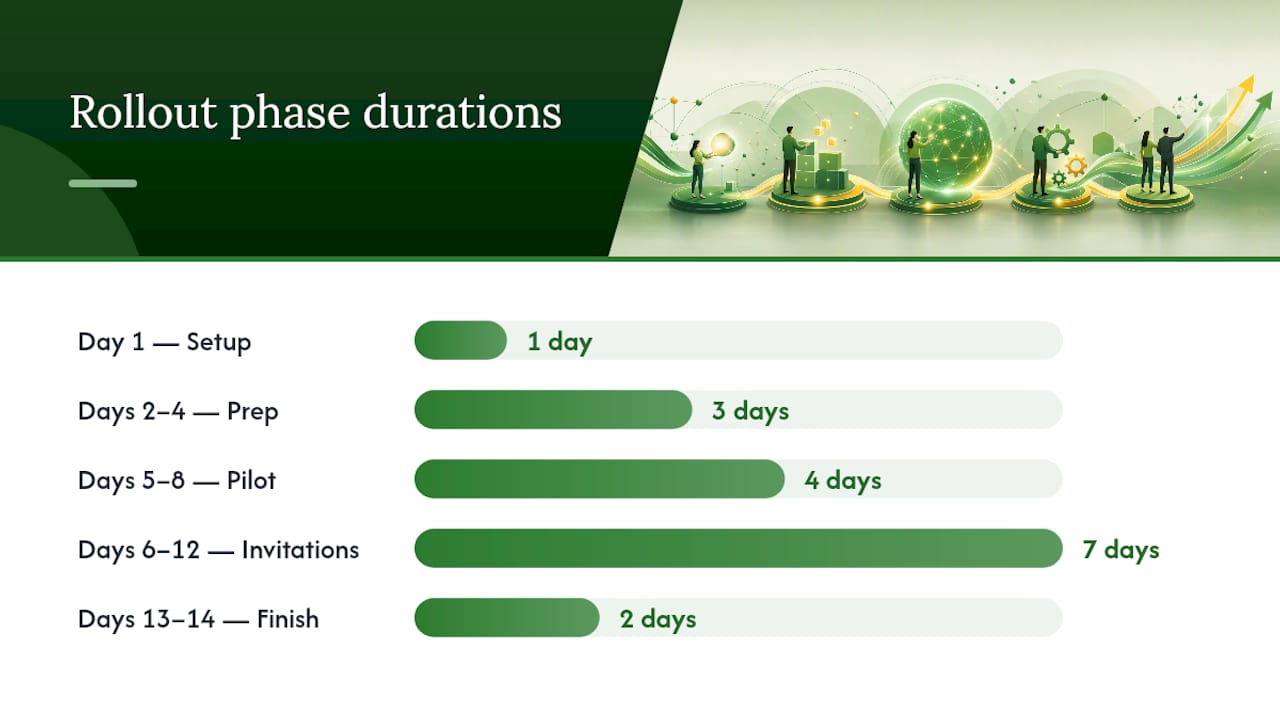
- Day 1: Sign up, apply firm branding, and connect a custom domain if the platform supports it.
- Days 2–4: Import your client list, build folder and request templates, set retention rules and MFA requirements, and run one 60-minute staff training session.
- Days 5–8: Pilot with three to five friendly clients and fix issues that arise following the client onboarding checklist essentials to streamline adoption. Piloting with a small group first before a full rollout consistently reduces adoption friction.
- Days 6–12: Send batch invitations to the rest of your client list and staff a login-help queue.
- Day 13: Update email signatures to point clients to the portal.
- Day 14: Stop attaching documents to email, full stop.
| Timeframe | Milestone |
|---|---|
| Day 1 | Account setup, branding, domain configuration |
| Days 2–4 | Client import, templates, MFA/retention rules, staff training |
| Days 5–8 | Pilot with 3–5 clients, resolve issues |
| Days 6–12 | Full client invitations, login support |
| Days 13–14 | Signature updates, email attachments discontinued |
Assign one staff member to own login-issue escalation before day 5. That single decision prevents the pilot from stalling on a support bottleneck nobody was watching.
What Integrations Does a Statement Portal Need?
A portal that extracts data beautifully but exports it into a format your tax software can't read just moves the bottleneck downstream. Confirm compatibility before you commit to a platform.
- Prioritize export formats you'll actually use: Excel (.xlsx), CSV, and QBO, and confirm date, amount, and description fields map cleanly into QuickBooks, Drake Tax, or Lacerte
- Add e-signature for engagement letters and delivery receipts for completed returns, so the portal covers document exchange end to end
- Plan for API or SFTP access if you process high volumes and need batch exports rather than one-at-a-time downloads
- Decide up front whether extraction happens inside the portal itself or routes to a separate extraction service, and confirm exactly how low-confidence flags reach your reviewer
Practice-management platforms built for accounting differentiate themselves here: they integrate with tax software and produce genuine audit trails, which generic file-sharing tools simply don't offer. TaxBatchPro's tax-prep integration is built around exactly this handoff.
How Do You Get Clients to Actually Use the Portal?
Adoption fails less often on technology and more often on communication. A clean naming convention and a short client message beat a feature-packed portal nobody uses correctly.
Use a consistent naming pattern like ClientName_YYYY-MM_DocType, for example Acme_2026-04_BankStmt_Operating.pdf. Consistent naming helps automated layout detection succeed on the first pass instead of falling back to slower OCR.
For client communication:
- Send a short invitation email with a five-minute login walkthrough attached, not a manual
- Explain the "why" in one line: faster processing, better security, no more email attachments
- Assign a daily reviewer to validate uploads and resolve low-confidence extractions within 24 to 48 hours
- Avoid overly complex folder structures; clients abandon portals that feel like a maze
- Don't request a dozen documents at once; stagger requests with clear due dates and one file type per request
- Never make exceptions to the no-email rule, even for a "quick" one. Exceptions are how the old habit creeps back
Do You Need a Full Practice-Management Suite or Just This?
If your primary need is secure, automated statement extraction with Schedule C mapping and clean export to Excel or QBO, a specialized portal covers it. You don't need a bigger system to solve a narrower problem.
Upgrade to a full practice-management suite when you also need integrated CRM, invoicing, billing automation, or deep two-way syncs with your tax software tied to portal activity.
- Signal to upgrade: you're managing client tasks and deadlines manually alongside document intake
- Signal to upgrade: billing and engagement letters live in a separate system from document exchange
- Signal to stay specialized: your bottleneck is strictly getting statements converted and categorized accurately
Why TaxBatchPro Fits This Exact Workflow
TaxBatchPro was built around the specific problem this article covers: batch PDF upload, OCR trained on bank and card statement formats, automatic Schedule C mapping, and export to Excel or QBO with an audit-ready package attached.
- Batch processing handles a year of statements at once instead of one file at a time
- Schedule C mapping happens automatically, with flagged rows for manual review
- Privacy-focused processing keeps sensitive financial data protected throughout the pipeline
- Exports drop directly into the tax-ready formats your existing tax software expects
Pro Tip: Run your pilot clients' statements through TaxBatchPro during the same week you configure folder templates. You'll catch formatting quirks in your client base before the full rollout, not after.
For firms replacing email attachments specifically, the rollout plan above maps cleanly onto TaxBatchPro's CSV client import and template configuration, so pilot mode and production aren't separate systems to learn twice.
A Compliance Case That Shouldn't Be Optional Anymore
The business case here isn't complicated: faster closes, fewer transcription errors, and a documented reduction in compliance risk. Firms that still treat portal adoption as optional are betting against an audit finding that shows up in review after review.
Making portal use mandatory for sensitive document exchange isn't a nice-to-have policy tucked into an employee handbook nobody reads. It's the baseline every firm should already have in place.
Try Automated Statement Conversion Yourself
TaxBatchPro cuts the entire manual side of statement intake down to a batch upload and a review pass, converting a year of PDFs into Schedule C-ready Excel in minutes instead of the hours a manual transcription process demands.
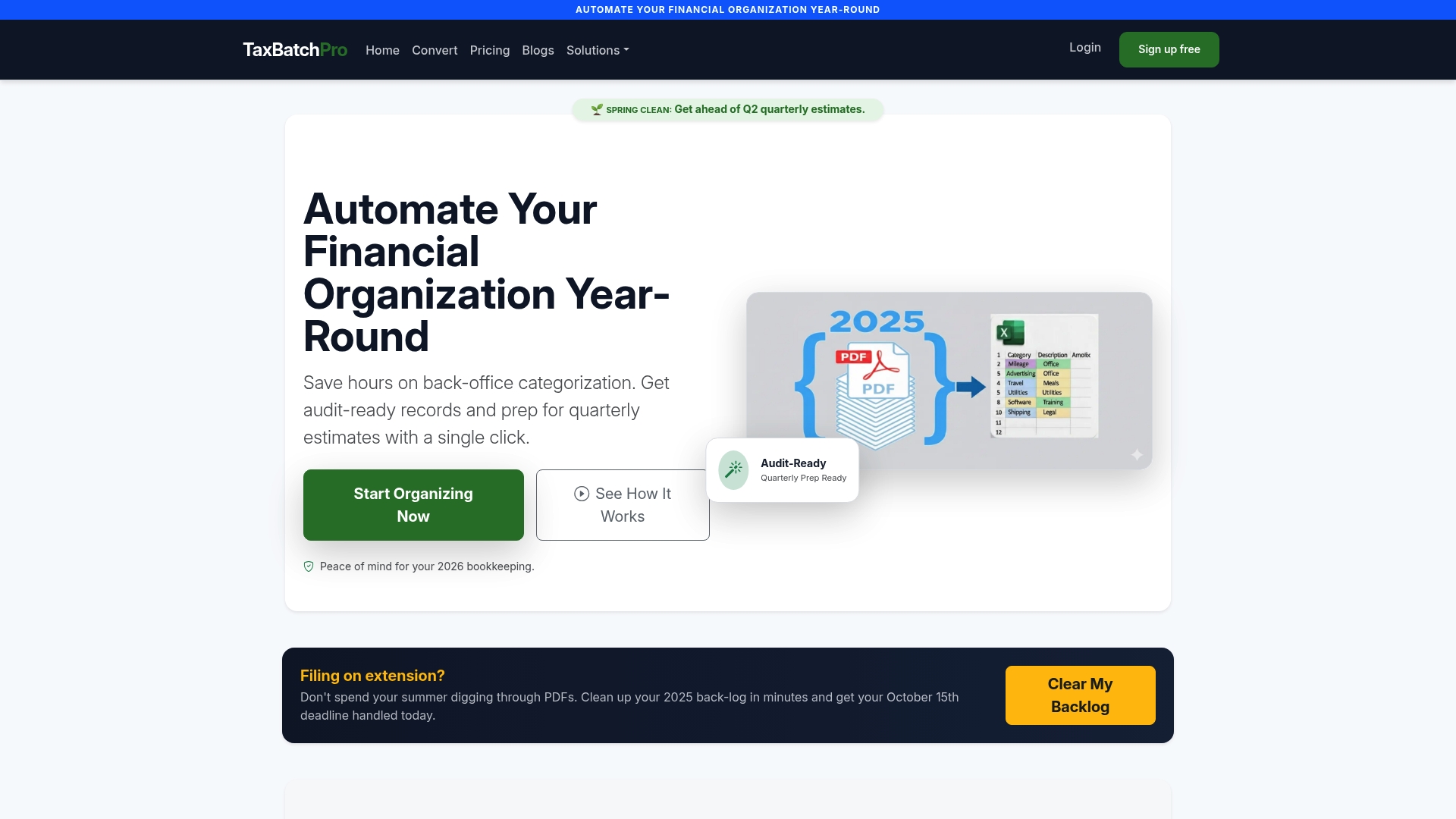
Every file moves through encrypted processing with an audit-ready export package attached, so the security case you just read about isn't something you have to build separately. If you're ready to see it work on your own client files, start with the accountant-focused extraction tools or run a batch through the free PDF-to-Excel converter to test accuracy before committing to a plan. Pricing tiers, including a free entry point, are outlined on the plans page.
Frequently Asked Questions
What is a client portal for accountants used for in this context? It's used specifically to accept statement PDFs from clients and convert them automatically into structured, tax-ready Excel files with Schedule C categories already assigned, replacing manual data entry and email attachments.
Is a basic file-sharing folder the same as a compliant client portal? No. A shared folder behind a password lacks the per-document access logs, MFA, and expiry controls that compliance-grade exchange requires.
How accurate is automated Schedule C categorization? Accuracy depends on statement quality and merchant clarity, but reconciling extracted totals against opening and closing balances catches most extraction errors before they reach the spreadsheet, and a reviewer step handles the rest.
Do I still need a tax professional to review the output? Yes. Low-confidence rows, split transactions, and ambiguous merchant descriptions still need a human reviewer, regardless of how good the automated extraction is.
Can the exported files go straight into QuickBooks, Drake Tax, or Lacerte? Most portals in this category export to Excel, CSV, or QBO format, but confirm field mapping for dates, amounts, and descriptions matches your specific tax software before relying on direct import.
This article is general information, not a substitute for advice from a qualified financial advisor. Consult a qualified financial professional about your own circumstances before acting on anything here.
Sources
- Secure Client Portal vs Email (TaxCybersecurity)
- How to convert PDF bank statement to Excel and categorize transactions (Suparse)
- Client portal for accountants (ShieldFive resources)
- Client portal for accounting firms (Xenett blog)
- What are client portals? (SmartVault resources)