How to Map Transactions to IRS Categories: Schedule C Guide

Map every transaction to a fixed bookkeeping category that rolls up to a specific Schedule C line, then lock that mapping with bank-feed rules and a stable chart of accounts. That single discipline separates a tax-ready set of books from a year-end scramble. The minimal elements you need are four: a canonical category list tied to Schedule C line numbers, account names in your chart of accounts that reflect those lines, automated bank-feed rules that apply the mapping on import, and attached receipts or memos that document business purpose. IRS Publication 334 consolidates the deductibility and recordkeeping rules every Schedule C filer must follow, and the 2025 Instructions for Schedule C confirm that expenses must be ordinary and necessary to qualify. Tools like Taxbatchpro can quickly convert a full year of PDF bank statements into a Schedule C-mapped spreadsheet, giving you a structured starting point before any manual review begins.
Your immediate next step: open a blank spreadsheet, create one row per Schedule C line (main expense lines plus COGS lines), and write the bookkeeping category name you will use in the column next to it. That sheet becomes your mapping reference. It takes 15–30 minutes and eliminates the guesswork that causes miscategorization at year-end.
Key Takeaways
Mapping every transaction to a fixed Schedule C line from the moment it is recorded is the single most effective way to reduce year-end reclassification work and strengthen audit readiness.
| Point | Details |
|---|---|
| Map to Schedule C lines first | Assign every bookkeeping category a specific Schedule C line number and embed it in the account name. |
| Separate meals from travel | Meals carry a 50% deductibility limit per Publication 463 and must be tracked in a dedicated category rather than merged with travel. |
| Build and maintain bank rules | Create a vendor-keyword rule for every recurring merchant; review uncategorized transactions weekly to keep the rule library current. |
| Document at the time of transaction | Attach receipts and business-purpose memos when the transaction is recorded, not at year-end, to maintain a defensible audit trail. |
| Taxbatchpro automates the extraction step | Batch-converting PDF statements with Taxbatchpro produces Schedule C-mapped spreadsheets that reduce manual transcription and concentrate review time on exceptions. |
Table of Contents
- Why mapping transactions to IRS categories changes your tax outcomes
- Core bookkeeping expense categories and their Schedule C lines
- Copyable mapping table: bookkeeping category to Schedule C line
- How to map a single transaction to a Schedule C-ready category
- How bank feeds, rules, and AI classification handle transaction categorization
- How to set up a chart of accounts that maps cleanly to Schedule C
- Real transaction examples: raw bank text to Schedule C line
- Audit readiness: receipts, 1099 considerations, and reportable transactions
- Converting statements to a Schedule C-ready spreadsheet with Taxbatchpro
- Why a mapping-first approach changes the entire tax-prep timeline
- Taxbatchpro converts PDF statements into mapped, audit-ready spreadsheets
- Sources
Why mapping transactions to IRS categories changes your tax outcomes
Poor transaction mapping has a cascading effect on every downstream report. A miscoded contractor payment inflates wages instead of contract labor. A capital equipment purchase expensed immediately without a depreciation or Section 179 election creates a deduction timing mismatch the IRS can challenge. Each error compounds: your profit-and-loss statement misrepresents operating costs, your Schedule C line totals disagree with your bank reconciliation, and your 1099 or 1099-K gross receipts may not reconcile to reported income.
The business benefits of a clean mapping run in the opposite direction. Accurate category assignment produces a P&L that reflects actual operating margins, not accounting artifacts. Year-end close shrinks from weeks to days because every transaction already carries its Schedule C destination. Tax preparers spend time on elections and planning rather than reclassification. And if the IRS questions a deduction, you can produce a receipt, a memo stating business purpose, and a ledger entry that all point to the same category.
Documentation is the difference between a deduction that holds and one that doesn't. The IRS expects receipts, business-purpose memos, and consistent category labels that tie back to Schedule C lines.
A practical weekly and monthly checklist keeps the mapping current:
- Weekly: Review uncategorized or "Ask My Accountant" transactions; clear exceptions before they accumulate.
- Weekly: Confirm that new vendors have a bank rule assigned so the next transaction auto-categorizes.
- Monthly: Reconcile each expense category total to the bank statement and to your budget; investigate variances above a materiality threshold you set in advance.
- Monthly: Verify that meals and travel are coded to separate categories, not merged, since Publication 463 requires them to be tracked independently and meals carry a 50% deductibility limit.
- Quarterly: Cross-check 1099-K receipts from payment processors against your gross income line to confirm no revenue is understated.
Core bookkeeping expense categories and their Schedule C lines
The table below maps the canonical bookkeeping categories to their Schedule C destinations. Use these exact names in your chart of accounts so that any accounting software report can be filtered by Schedule C line without manual regrouping.
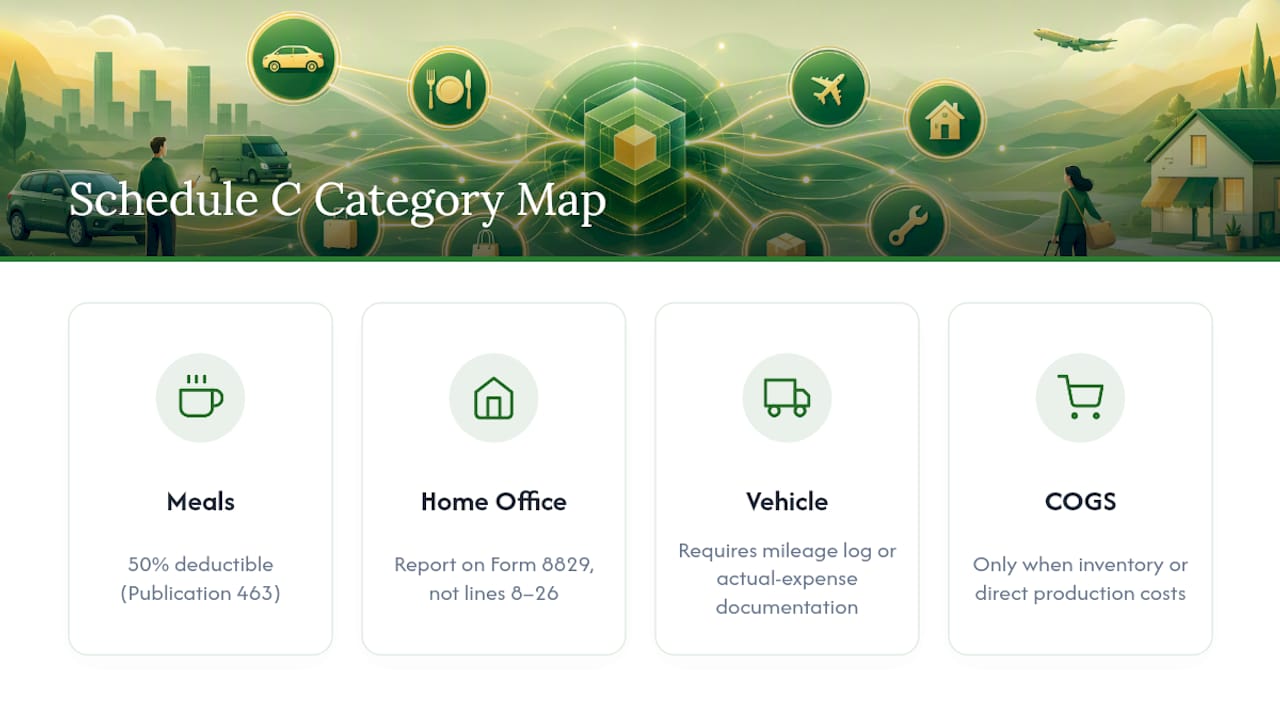
Partial-deduction items to flag: Meals are 50% deductible per Publication 463, so keep them in a dedicated "Meals (Business)" category rather than merging them with travel or office expense. Home office costs belong on Form 8829, not directly on Schedule C lines 8–26, and vehicle expenses require a mileage log or actual-expense documentation. COGS applies only when the business maintains inventory or has direct production costs; service businesses with no inventory should not use COGS lines.
Copyable mapping table: bookkeeping category to Schedule C line
The table below adds a sample vendor or descriptor column and a short rule for ambiguous cases. Use it as a CSV header template or as a lookup reference when building bank-feed rules.
The software ambiguity rule in plain terms: if a software subscription is a direct input to a product or service you sell to clients (for example, a design tool billed per client project), it belongs in COGS. If it runs your back office (accounting software, email platform, project management), it belongs in Other Expenses on Line 27a. When in doubt, Line 27a is the safer default because it does not affect gross profit calculations.
How to map a single transaction to a Schedule C-ready category
A repeatable six-step process keeps every transaction correctly coded, whether you are reviewing a single entry or importing 500 rows from a PDF statement.
Import or capture the transaction. Pull the raw bank or credit card data into your accounting software or a staging spreadsheet. Preserve the original merchant descriptor exactly as the bank reports it — do not normalize it yet.
Normalize the vendor text. Strip payment-processor prefixes (SQ*, TST*, PAYPAL*) and trailing reference numbers to isolate the merchant name. A transaction reading "SQ *ACME PRINTING 8005551234" normalizes to "ACME PRINTING." This cleaned name is what your bank rules will match against.
Match to your category map. Look up the normalized vendor name in your keyword-to-category lookup table. If a rule exists, the category and Schedule C line assign automatically. If no rule exists, the transaction lands in an exceptions queue.
Work the exceptions queue. For each unmatched transaction, determine the correct category using the mapping tables above, assign it manually, and then create a new bank rule so the same vendor auto-categorizes next time. This is how your rule library grows.
Attach receipt or memo. Every transaction needs a receipt or a memo stating the business purpose, the amount, and the date. For meals, also record the attendees and the business topic discussed. Store receipts in a folder structure that mirrors your category names so retrieval during an audit is straightforward. Guidance on client financial data handling covers secure retention practices for these records.
Lock and month-close. After reconciling all transactions to the bank statement, lock the period in your accounting software. A locked period prevents accidental edits and creates a clean audit trail. Reconcile each category total to your expected budget range before locking; a utilities expense that doubled month-over-month warrants a second look before the period closes.
Handling split transactions: when a single card charge covers both personal and business items (a common scenario with a shared business/personal card), record the full amount and then split it into two lines: the business portion to the appropriate Schedule C category and the personal portion to an Owner Draw or Personal Expense account that does not flow to Schedule C. Never code the full amount to a business category when part of the charge is personal.
Pro Tip: Set a weekly 20-minute calendar block for exception review. Clearing the exceptions queue weekly prevents a backlog that turns into a multi-day reconciliation project at year-end. Pair it with a quick scan of any new vendors that appeared that week so you can write rules before the next statement cycle.

How bank feeds, rules, and AI classification handle transaction categorization
Rule-based categorization and AI classification are not competing approaches — they work best in layers. Understanding where each one fits prevents the over-reliance on automation that produces systematic miscoding.
Rule-based logic: reliable but brittle
A simple bank rule follows a pattern: if the merchant descriptor contains a keyword and the amount falls within a threshold, assign category X. Rules are deterministic and auditable, which makes them easy to explain to a client or an examiner. Their weakness is brittleness: a merchant descriptor change (Uber switching to "UBER* TRIP" from "UBER") breaks the rule silently, and the transaction lands in uncategorized until someone notices.
Effective rule templates follow this structure:
- Vendor-keyword rule: Descriptor contains "GOOGLE ADS" → Advertising (Line 8)
- Amount-threshold rule: Amount between $0.01 and $5.00 AND descriptor contains "FEE" → Merchant Processing Fees (Line 27a)
- Payee-type rule: Descriptor contains "PAYROLL" OR "ADP" OR "GUSTO" → Wages (Line 26) [flag for payroll tax split review]
- Recurring-amount rule: Amount equals $[fixed monthly SaaS fee] AND descriptor contains vendor name → Software Subscription (Line 27a)
Keep rules specific enough to avoid false positives. A rule that matches any descriptor containing "FOOD" will catch a restaurant meal (Line 24b) but also a grocery run that may be personal. Narrow the match to known business-meal vendors or require a minimum amount threshold.
AI classification: pattern-matching at scale
AI-based categorization reads the full transaction descriptor, amount, and sometimes merchant category code (MCC) to predict the most likely bookkeeping category. It handles descriptor variations and new vendors better than static rules. The tradeoff is that AI predictions carry a confidence score, and low-confidence transactions still require human review. Extracting transactions from PDF bank statements into a structured format and then applying category rules or an AI classifier is a repeatable workflow that scales across large statement volumes.
Common pitfalls and how to detect them
Aggregated payments from platforms like PayPal or Stripe report a net deposit rather than individual transactions. The deposit amount does not match any single invoice, and the gross receipts figure on your 1099-K will exceed what you deposited. Reconcile gross receipts (from the 1099-K) against your income line, then code the processing fees separately to Line 27a. Payroll-related 1099-K considerations and compliance updates are covered in detail at Glendale Payroll's tax updates resource.
Merchant descriptor changes are silent rule-breakers. Build a monthly check: filter for any transaction that landed in "Uncategorized" and compare the descriptor against your existing rule library to spot near-matches. A rule maintenance log that records the date a rule was created or modified helps you trace when a categorization gap started.
Third-party platform payments (Amazon, Etsy, app stores) often net fees against payouts before depositing. Record gross revenue on the income line and the platform fee as an expense on Line 27a, not as a reduction to income.
Pro Tip: Build a "Suspicious Category" report: a saved filter that flags any transaction over $500 in Office Expense (Line 18) or Supplies (Line 22). Large amounts in these categories often indicate a capital purchase that should have gone to Depreciation (Line 13) instead.
How to set up a chart of accounts that maps cleanly to Schedule C
Most small businesses need fewer accounts than they think. A chart of accounts with many expense categories creates more miscoding opportunities than a focused list that mirror Schedule C lines directly. The goal is a stable structure where every account has exactly one Schedule C destination and that destination never changes mid-year.
Naming conventions that preserve tax destinations
Embed the Schedule C line reference directly in the account name. This makes the tax rollup visible in every report without requiring a separate mapping lookup:
Advertising (Sch C L8)Meals - Business 50% (Sch C L24b)Contract Labor (Sch C L11)Depreciation & Sec. 179 (Sch C L13)
When your accounting software generates a P&L, every line already tells the preparer where it goes on the return.
Minimal chart of accounts for a service business
When to add subaccounts
Add a subaccount only when you need granular reporting for management decisions and the parent account's Schedule C destination stays fixed. For example, "Other Expenses (Sch C L27a)" can have subaccounts for Software Subscriptions, Merchant Fees, and Bank Charges — all three still roll up to Line 27a on the tax return. Never create a subaccount structure that splits a single Schedule C line across two parent accounts; that breaks the rollup.
Decision rules for account type:
- Operating expense: recurring cost of running the business, fully deductible in the year incurred.
- COGS: direct cost of producing goods or services sold; only for businesses with inventory or direct production costs.
- Capital expense (depreciation/Section 179): asset with a useful life greater than one year and a cost above your capitalization threshold (commonly $2,500 for small businesses); goes to Line 13 via a depreciation schedule or Section 179 election.
- Other expense (Line 27a): ordinary and necessary business cost that does not fit any named line; describe it clearly in the "Other Expenses" detail section of Schedule C.
Real transaction examples: raw bank text to Schedule C line
The following examples show the full mapping decision, including the documentation required to make each entry audit-ready.
| Raw Bank Descriptor | Bookkeeping Category | Sch C Line | Required Documentation | Edge Case Note |
|---|---|---|---|---|
| ADOBE CREATIVE CLD | Software Subscription | 27a | Invoice or subscription confirmation; note "design software for client deliverables" | If billed per client project, consider COGS instead |
| RESTAURANT NAME | Meals - Business 50% | 24b | Receipt; memo with attendees and business topic | Only 50% deductible; do not merge with Travel |
| SHELL OIL | Car & Truck | 9 | Gas receipt; mileage log entry for the trip | Actual-expense method only; standard mileage users deduct per mile, not fuel cost |
| AMAZON MKTPL | Depreciation & Sec. 179 | 13 | Invoice; asset description; Sec. 179 election on Form 4562 | If under capitalization threshold, may expense to Supplies (Line 22) instead |
| STRIPE PAYOUT NET $3,420.00 | [Split: Income + Fees] | Income / 27a | Stripe dashboard report showing gross receipts and fees | Record gross income; fees separately to Line 27a; reconcile to 1099-K |
| JOHN DOE INVOICE $2,500.00 | Contract Labor | 11 | Signed invoice; W-9 on file; 1099-NEC if annual total ≥$600 | Do not code to Wages (Line 26); contractor, not employee |
| REGUS COWORKING $650.00 | Rent/Lease - Property | 20b | Lease agreement or monthly invoice | Home office costs go to Form 8829, not here |
| EZPASS TOLL $18.40 | Car & Truck | 9 | EZPass statement; note business trip purpose | Tolls are part of actual vehicle expenses; log the trip |
The Stripe payout example deserves extra attention. Payment processors deposit net amounts after deducting their fees, but your 1099-K reports gross receipts. If you record only the net deposit as income, your reported revenue will be understated compared to the 1099-K figure the IRS already has. Always record gross receipts as income and the processing fee as a separate Line 27a expense. This keeps your books reconcilable to the 1099-K without any manual adjustment at year-end.
Audit readiness: receipts, 1099 considerations, and reportable transactions
Audit readiness is not a year-end project. It is a property of how transactions are recorded at the time they occur. A well-mapped set of books with attached receipts and clear memos can survive an IRS examination with minimal disruption; a set of books where categories were assigned at year-end from memory cannot. The accuracy in tax documentation guide covers reconciliation and documentation standards in detail.
Audit-ready documentation checklist
- Receipt or invoice for every deductible expense, stored in a retrievable format (PDF, cloud folder, or accounting software attachment).
- Business-purpose memo on every transaction: one sentence stating why the expense was incurred for the business.
- Attendee and topic record for every meal coded to Line 24b, per Publication 463 requirements.
- Mileage log for every vehicle expense claimed under the actual-expense method or standard mileage rate; the log must show date, destination, business purpose, and miles driven.
- Business-use percentage documented for any mixed-use asset (phone, home office, vehicle) with the calculation method on file.
- Vendor W-9 on file for every contractor paid $600 or more in the year, before the 1099-NEC is issued.
- Bank reconciliation completed and locked for every month, with the reconciliation report retained.
1099 and 1099-K reconciliation
When you receive a 1099-K from a payment processor, the gross receipts figure on that form should match the gross income you recorded before deducting any fees. If it does not, the IRS will notice the discrepancy. Reconcile 1099-K amounts to your income ledger at least quarterly, not just at year-end. For 1099-NEC forms you issue to contractors, confirm that the amounts match your Contract Labor (Line 11) ledger total. The IRS cross-references both.
Reportable transactions and Form 8886
Most small businesses will never encounter a reportable transaction, but the category is worth understanding. The Instructions for Form 8886 define listed transactions, confidential transactions, and contractual-protection transactions — each carrying its own disclosure and filing requirements. A transaction becomes reportable when it resembles a tax shelter structure the IRS has identified as potentially abusive. The Transactions of Interest page lists specific notices (such as Notice 2016-66) that identify transaction types the IRS is scrutinizing. If a tax advisor proposes a structure that promises unusually large deductions or losses relative to economic activity, that is a red flag worth reviewing against the Form 8886 instructions before proceeding.
Converting statements to a Schedule C-ready spreadsheet with Taxbatchpro
The most time-consuming part of the mapping workflow is not the categorization logic — it is getting raw PDF bank and credit card statements into a structured format where rules and AI can act on them. Manual transcription from PDFs introduces data integrity errors and takes hours that could be spent on review and analysis.
Taxbatchpro addresses this bottleneck directly. The workflow runs as follows:
Batch-upload PDFs. Upload one month or a full year of bank and credit card statement PDFs in a single batch. Taxbatchpro's dynamic table extraction pulls transaction rows, dates, amounts, and merchant descriptors from each page.
Automatic category mapping. The platform applies Schedule C category assignments to each extracted transaction, producing a structured output where every row carries a bookkeeping category and its corresponding Schedule C line.
Review exceptions. Transactions the system cannot confidently categorize are flagged for manual review. This exceptions queue is typically a small fraction of total transactions, concentrating your attention where human judgment is actually needed.
Export to CSV or Excel. The mapped output exports in a format ready for import into accounting software or for direct use as a working spreadsheet. The IRS-ready conversion workflow produces audit-ready exports that include category labels and line references.
Complete manual steps. Taxbatchpro handles extraction and initial categorization; the accountant still needs to attach receipts, confirm mixed-use splits, finalize depreciation elections, and review any flagged exceptions before the period is locked.
Pro Tip: Run one month of statements through the batch process before committing to a full-year import. Review the exceptions rate and spot-check 10–15 categorized transactions against your mapping table. This calibration step surfaces any vendor-descriptor patterns that need a custom rule before you process the remaining months.
The data quality guide explains how clean, structured transaction data supports reliable financial reporting — the same principle applies here: the quality of your mapped output depends on the quality of the extracted input.
Why a mapping-first approach changes the entire tax-prep timeline
The conventional approach to small business bookkeeping runs backward: transactions accumulate throughout the year in whatever categories the bank feed guesses, and then the accountant or owner spends January and February reclassifying entries, hunting for receipts, and reconciling totals that never quite match. The year-end scramble is not a time-management problem. It is a structural one, and it is entirely predictable.
A mapping-first setup inverts that sequence. When every transaction carries a Schedule C destination from the moment it is recorded, the year-end process becomes a verification exercise rather than a reconstruction project. The accountant reviews exceptions, confirms elections, and signs off on a set of books that is already tax-ready. Client communication shifts from "I need your receipts by February 15" to "Here are three items I want to discuss before we file."
The adjustments that matter most in practice are not the sophisticated ones. These habits compound. A firm that runs a mapping-first workflow for 12 months straight arrives at year-end with a reconciled, documented, Schedule C-aligned ledger — and the confidence that comes with it.
Taxbatchpro converts PDF statements into mapped, audit-ready spreadsheets
Year-end tax prep moves faster when your transactions arrive already mapped to Schedule C lines rather than sitting in a stack of unstructured PDFs. Taxbatchpro gives accountants and bookkeepers exactly that: batch-upload your bank and credit card statement PDFs, and the platform extracts every transaction row, assigns a Schedule C category, and exports a structured Excel file ready for review or software import.
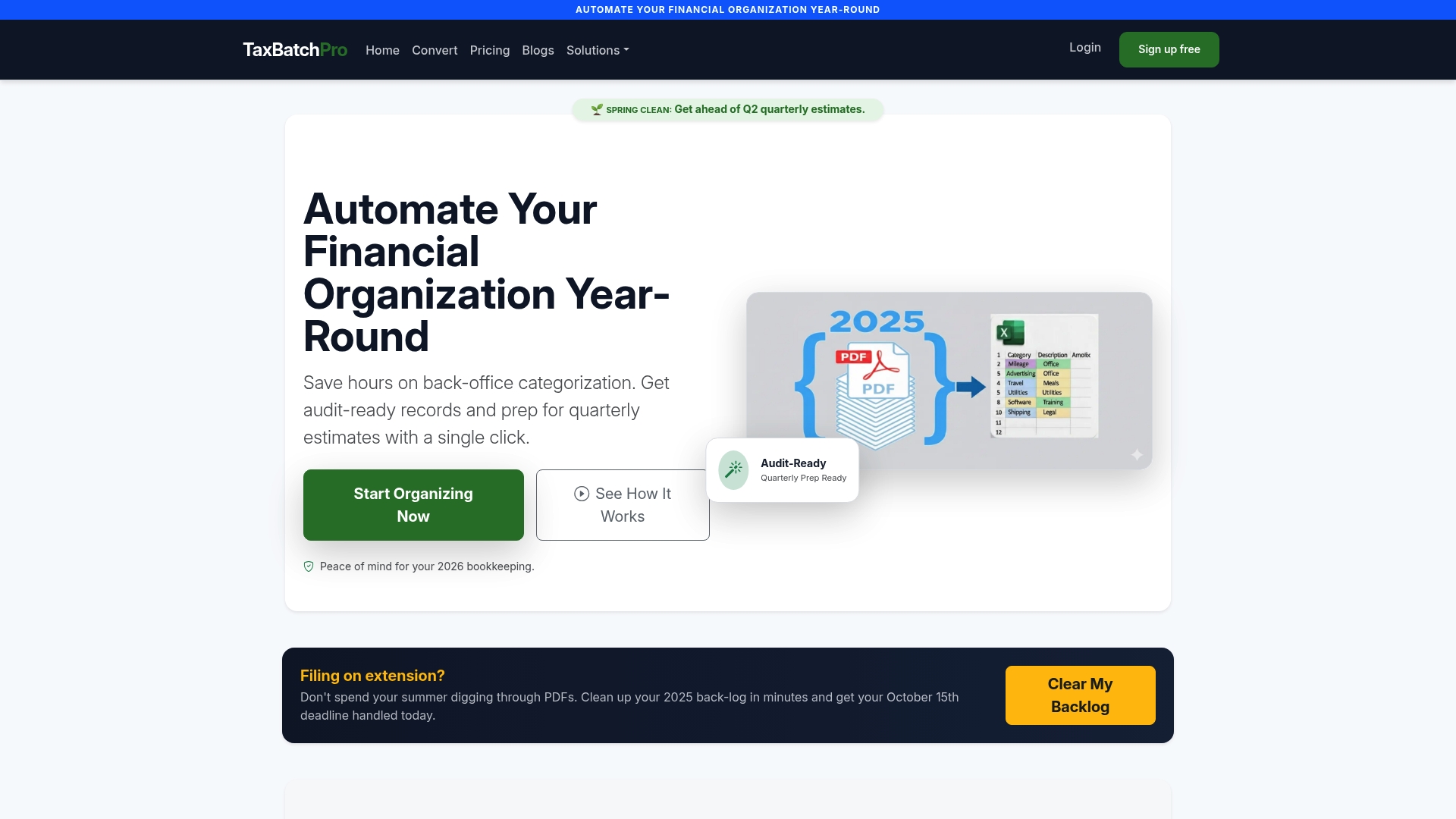
For accounting professionals managing multiple clients, the accountant-focused workflow supports bulk uploads across client files, producing mapped outputs that cut manual data entry out of the process entirely. The audit-ready export includes category labels and Schedule C line references on every row, so the review step focuses on exceptions rather than transcription. For individual business owners who want to start with a single month of statements, the free PDF-to-Excel converter lets you test the output before committing to a subscription. Start your first batch conversion today and see how much of the mapping work is already done before you open your accounting software.
Sources
The sources below are the primary references for the rules and requirements covered in this guide. Consult them directly when a specific deduction, disclosure, or recordkeeping question requires authoritative confirmation.
- Publication 334
For 1099-K reconciliation, the IRS guidance on third-party network transactions is published on the IRS website under the 1099-K information center. Cross-reference your payment processor's annual gross receipts report against your income ledger before filing, and retain the processor's transaction-level report as supporting documentation. The IRM Part 3 information return processing guidance covers how the IRS processes information returns internally, which is useful context if you are reconciling a discrepancy between a posted 1099-K and your own records.
This article is general information, not a substitute for advice from a qualified financial advisor. Consult a qualified financial professional about your own circumstances before acting on anything here.